Key takeaways
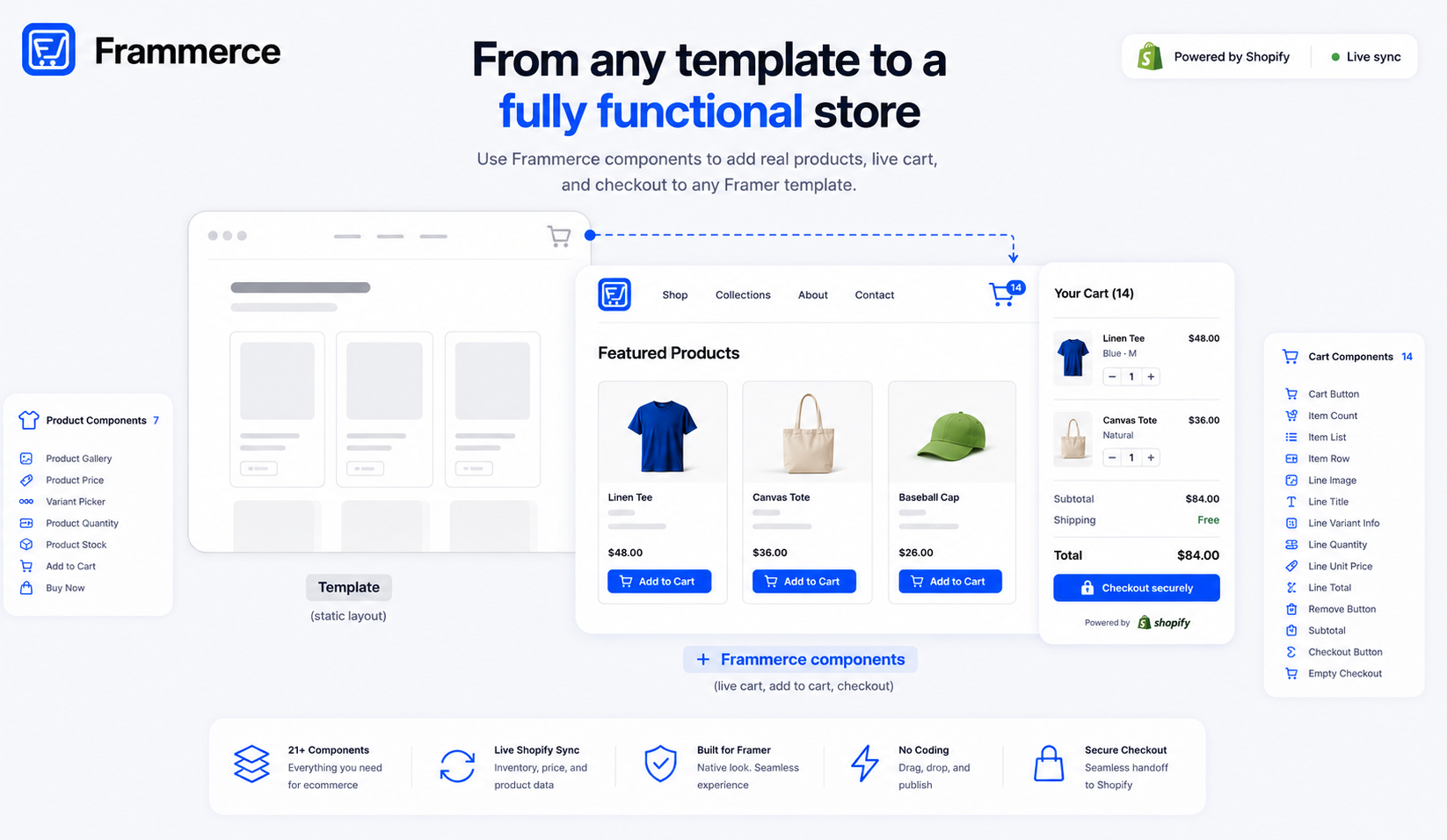
- A Framer ecommerce template gives you a designed layout: product grids, category pages, a cart drawer shell. It does not give you a working cart, live inventory, or a checkout that processes a payment.
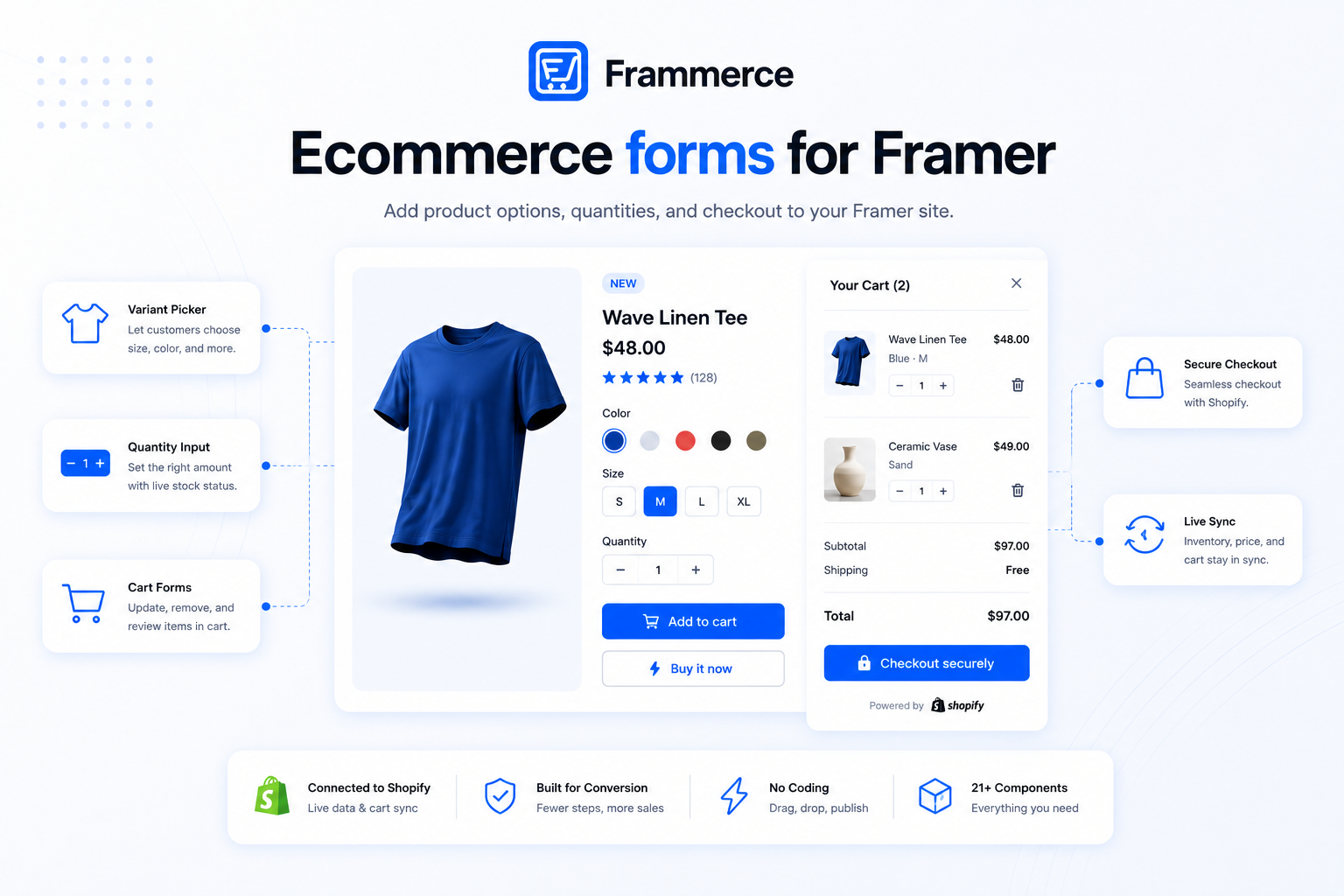
- Frammerce is a commerce components plugin first, templates are on the roadmap but not live yet. Its 21 components drop into whatever surface you're already using today: a purchased template, a free one, or a canvas built from scratch.
- Basic is free: all 21 components, one Shopify connection, and CMS sync. Live checkout, branding removal, and a single website license come with Pro, a one-time $79. Priority support and multi-collection sync come with Scale, a one-time $99 (down from $149). Full breakdown on the pricing page.
- Checkout friction costs a store more sales than template choice ever will: cart abandonment averages 70.22% across 50 studies.
Frammerce doesn't ship templates yet. Here's what it actually does.
Frammerce is a components plugin first. Templates are on the roadmap inside the plugin itself, but not live yet, so nothing here should read as template-shopping advice for something Frammerce sells today. What it does right now is drop a working commerce layer, product galleries, variant pickers, cart state, a checkout that hands off to Shopify, onto whatever design surface you already have. That surface can be a template you bought on the Framer Marketplace, a free one, or a page you built from a blank canvas. All three are equally valid starting points. None is required.
That distinction matters because it's easy to conflate "a Framer ecommerce template" with "a Framer ecommerce store." They're not the same thing, and mixing them up is where most first attempts stall out.
What a Framer ecommerce template actually gives you
A Framer ecommerce template is a pre-built Framer project: product grid layouts, category pages, a cart drawer shell, styled and ready to publish. It's the visual starting point, typography, spacing, image treatment, page structure. What it almost never gives you is a working cart, live inventory, or a checkout that actually processes a payment. Templates on the Framer Marketplace are typically design files: pages, layout, static content. A cart icon in a template's navbar usually isn't wired to real cart state, and a checkout button usually isn't connected to a payment processor. Framer's canvas has no native concept of cart persistence or order processing, so a template can't ship that logic on its own.
That gap is exactly what Frammerce's components close, regardless of which template (if any) sits underneath them.
How Frammerce's components turn a template into a working store
The workflow is the same whether you're starting from a $200 Marketplace template, a free one, or nothing at all:
- 1Design or install your starting pages
Product listing, product detail, cart drawer shell. If you're working from scratch, block these out with standard Framer stacks and frames rather than heavily custom code.
- 2Connect your Shopify store and sync the catalog
Let it sync into Framer's CMS collections.
- 3Drop in the synced components
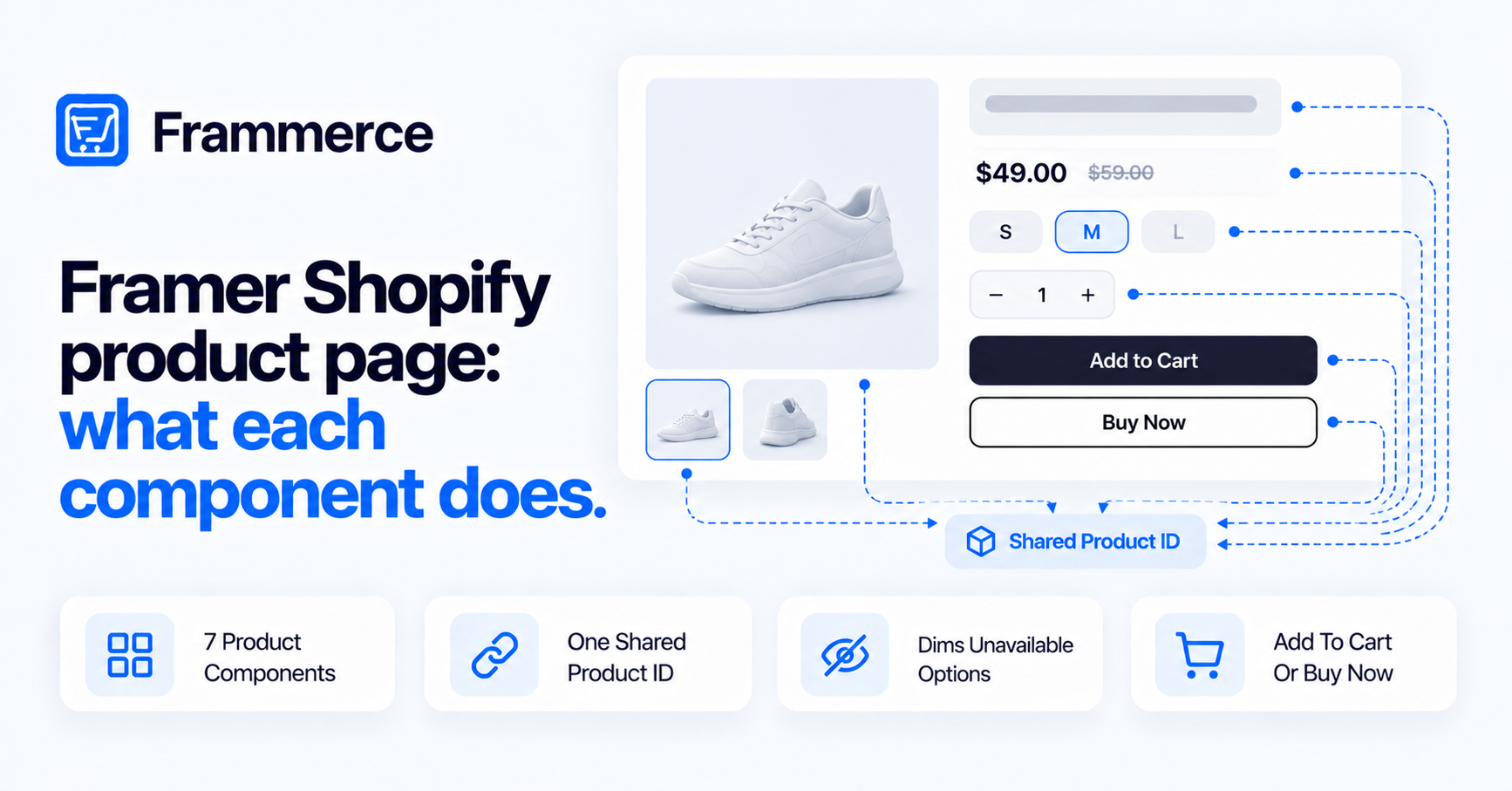
Replace static placeholders: Product Gallery, Price, Variant Picker, Add to Cart.
- 4Wire the cart drawer
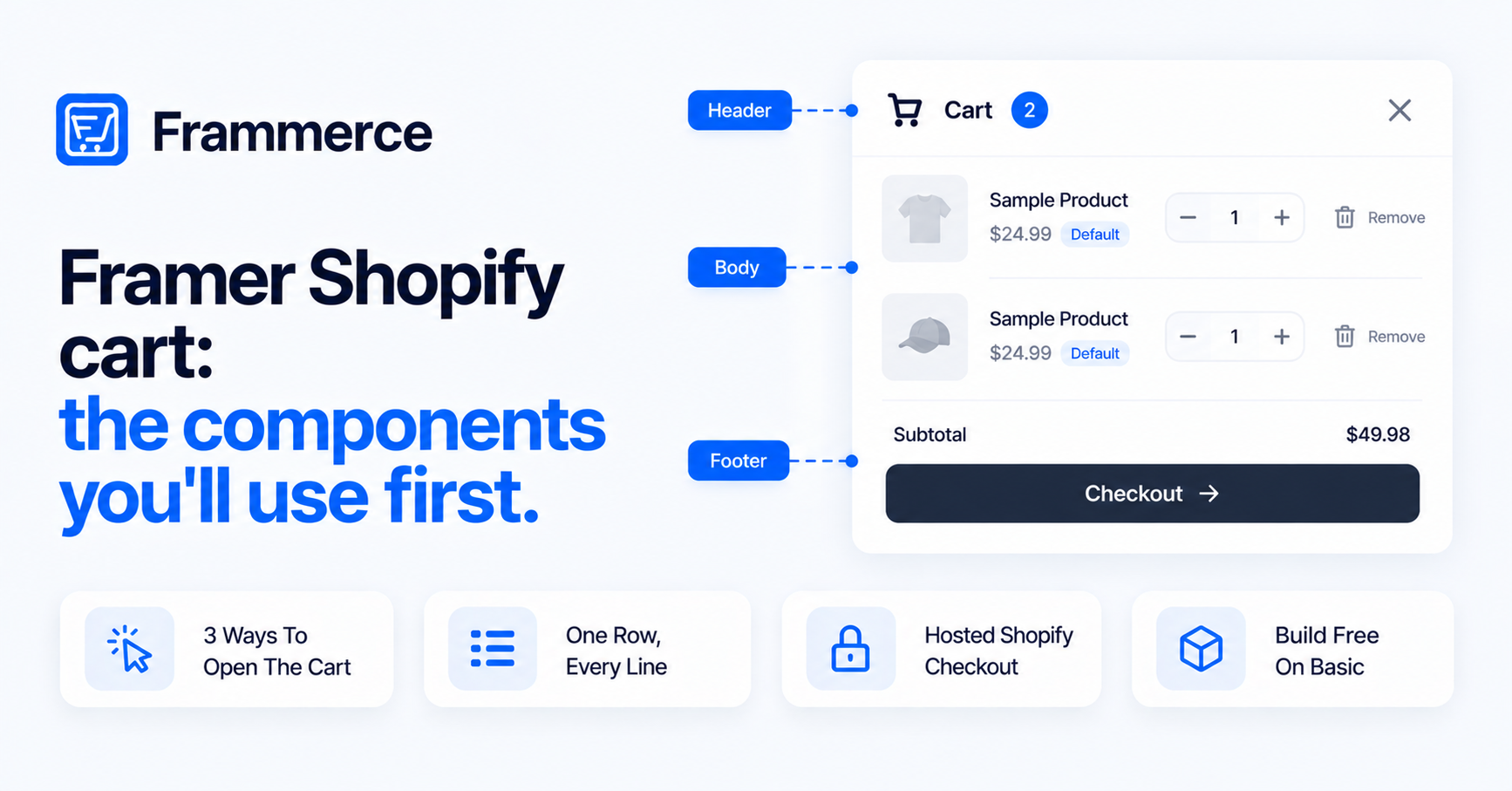
Connect Frammerce's cart components, Item List, Subtotal, Checkout Button, so it reflects real cart state instead of a static mockup. The cart components guide covers each of them.
- 5Publish
The design layer, whatever it started as, now runs on a live Shopify catalog.
Nothing in that sequence depends on which template you started with, or whether you used one at all. The components read from the CMS collection, not from a specific template's file structure, so swapping templates later doesn't mean rebuilding the commerce layer from zero. For a small catalog, the whole sequence typically takes an afternoon. Most of the time goes into step three, and that scales with how many page types you're populating (product page, category page, a featured collection), not with catalog size.
For the fuller build walkthrough, see the Framer ecommerce website guide; for what to weigh against building the Shopify connection yourself, see plugin vs. custom build.
A template, a free template, or no template at all: pick based on timeline, not on commerce features
Since the components are template-agnostic, the choice of starting surface comes down to timeline and design needs, not functionality:
- A purchased template gets you to a designed storefront fastest, with more page types already built out (category filters, a wishlist page, a size guide layout).
- A free template covers the basics with fewer page types, useful for testing the full setup before spending anything.
- From scratch gives full control over every page, which matters more for brands with a visual identity a template would compromise.
All three end at the same place: components connecting the design to a live Shopify catalog. See what that looks like across real stores in the store examples post, or start from zero with the guide to starting a Framer online store.
If you are choosing a template, a few things are worth checking first
This is secondary to the setup itself, but worth a quick check before you commit to a template: does it use standard Framer stacks and frames (components drop in cleanly) or heavily nested custom code (components will fight it)? Is content already in Framer CMS collections, or hardcoded into static frames you'd have to rebuild? And check the mobile breakpoints before the desktop ones, since product grids and cart drawers get used on mobile more than desktop for most stores. A template that scores well on these is a fast starting point; one that doesn't will resist the commerce layer at every step.
None of this applies if you're building from scratch, since you control the structure from the first frame. If you're also weighing custom forms (contact, waitlist, size inquiries) alongside the storefront itself, see ecommerce forms for Framer.
Pricing: the components, independent of whatever template you're using
Template cost and component cost are unrelated, and it's worth budgeting for both separately. Frammerce's tiers, per the pricing page:
- Basic — free. All 21 components, one Shopify store connection, and Framer CMS sync. No live checkout yet at this tier.
- Pro — $79 one-time. Everything in Basic, plus live checkout on your published site, Frammerce branding removed, and a single website license with lifetime updates.
- Scale — $99 one-time (down from $149). Everything in Pro, plus multi-collection sync and priority support, for larger catalogs.
Because template and component pricing are separate, you can start with a free template (or no template) and Frammerce's free Basic tier to build out the full design and CMS sync, then upgrade to Pro once you're ready to take live payments. See how Frammerce stacks up against other approaches in the plugin comparison and the Framer vs. Shopify FAQ.
Does Frammerce sell or design Framer templates?
Not yet. Templates are on the roadmap inside the plugin, but not live today. Right now Frammerce is components-only: it builds the cart, checkout, and product components that drop into whatever template or from-scratch canvas you're already using.
Does the free Basic tier include checkout?
No. Basic includes all 21 components, one Shopify connection, and CMS sync, enough to build and preview the full storefront. Live checkout on your published site requires Pro, a one-time $79.
How many components does Frammerce have, and what do they cover?
21 total: 7 product components (gallery, price, variant picker, quantity input, stock status, add to cart, buy now) and 14 cart components (cart button, item count badge, item list, item row, line image, line title, line variant info, quantity stepper, line unit price, line total price, remove button, subtotal, checkout button, close button). Full list is in the component docs.
Do premium Framer templates include commerce functionality?
Usually not. Most templates, free or paid, are design files: layout and static content. Cart and checkout logic wired to a real backend comes from a separate plugin, since that's functionality, not design, and template pricing doesn't reflect it either way.
Can I switch templates without losing my product catalog?
Yes. Your catalog lives in Shopify and syncs into Framer's CMS independent of whichever template displays it. Swapping templates means rebuilding the visual layout, not re-importing products.
Will this work with any Shopify plan?
Storefront API access, which the sync relies on regardless of template, isn't restricted to Shopify's most expensive plan anymore. Confirm current access in your Shopify admin if you're on an older plan. For the connection steps themselves, see the Shopify integration setup guide.
Bottom line
A template, or the absence of one, decides how the store looks. It never decides whether the store works. Frammerce's 21 components are the part that makes it work: catalog sync, cart state, and a checkout that hands off cleanly to Shopify, dropped onto whatever design surface you're already on. Across 50 studies on cart abandonment, the average sits at 70.22%, and none of the leading causes are about which template rendered the page.
Get in touch if you're still deciding between a template and building from scratch, either way, the components layer on the same.