Key takeaways
- Ecommerce forms for Framer are not contact forms. They are the interactive pieces that let a shopper choose a variant, set a quantity, and hand a cart off to checkout.
- Framer's native form component builds contact and lead forms. It is not built for product options, cart quantities, or a Shopify checkout handoff.
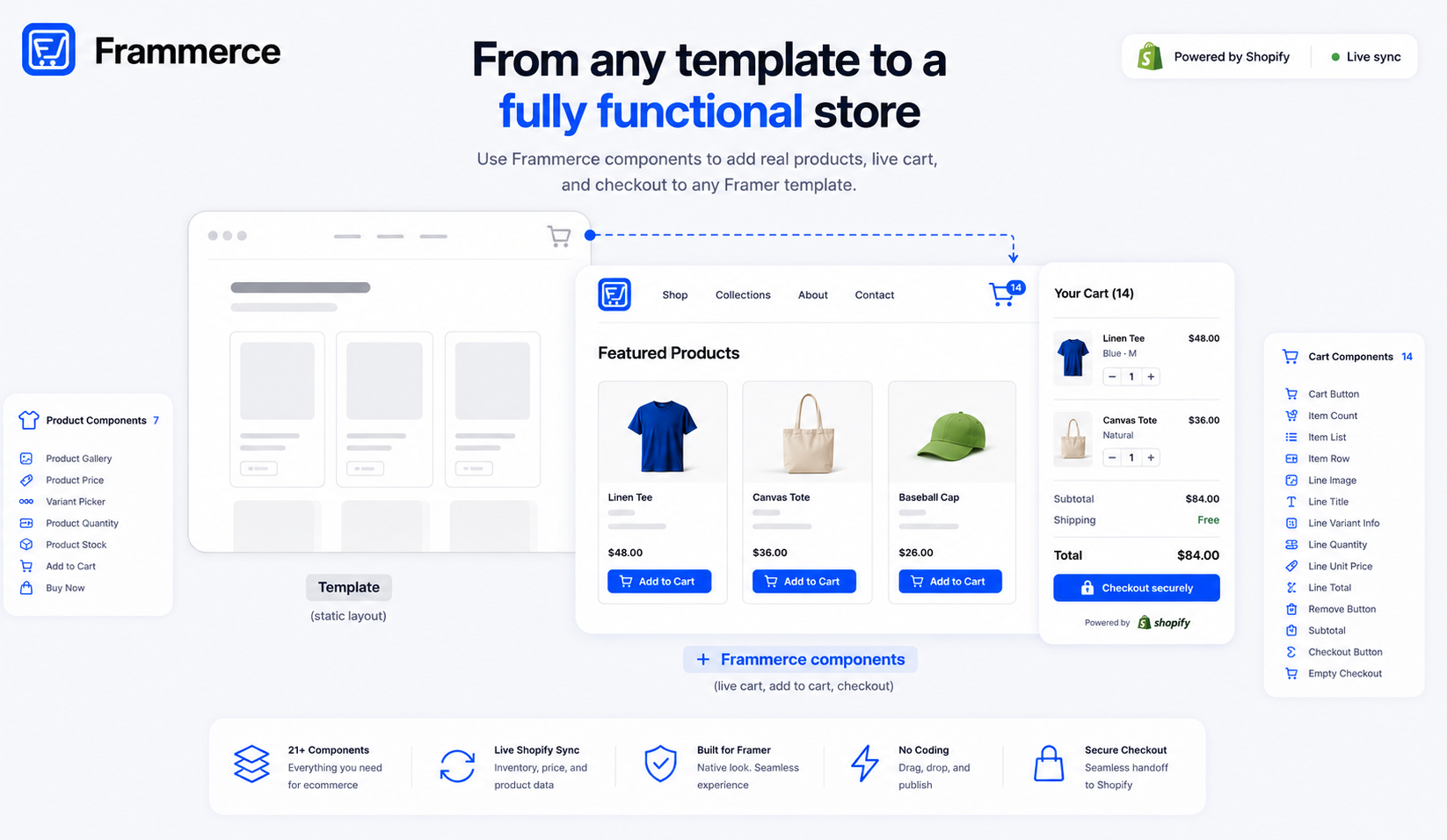
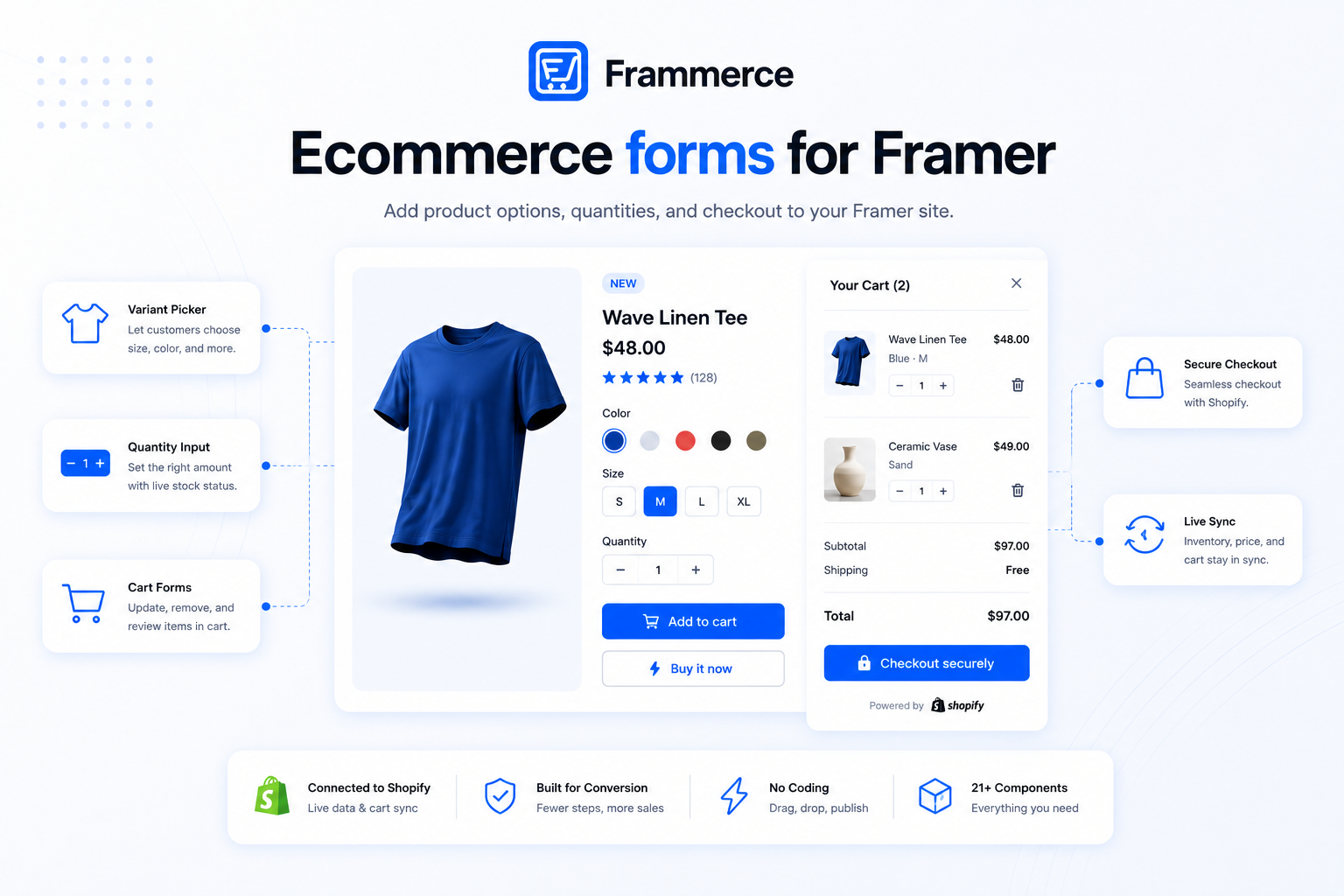
- Frammerce ships these as dedicated components: a variant picker, a quantity input, a quantity stepper inside the cart, and a checkout button.
- These forms read live Shopify inventory and pricing, so a sold-out variant or a price change shows up without manual edits.
- Fewer, clearer fields convert better in ecommerce forms generally, the same pattern Baymard's checkout research documents for the fields that lead to a sale.
What are Framer ecommerce forms, exactly?
Framer ecommerce forms are the input components a shopper interacts with while buying something: picking a size or color, setting a quantity, adjusting or removing a cart line, and submitting to checkout. They are functionally forms (a set of inputs tied to a submit action) even though they rarely look like a traditional form with labeled text fields. A variant picker is a form. A quantity stepper is a form. The checkout button is a submit action against a cart, wired to Shopify instead of an email inbox.
This is a narrower category than "forms on a Framer site" in general. A newsletter signup or a contact form collects data and sends it somewhere. An ecommerce form collects a purchase decision and sends it into a cart, which is a different kind of state to manage.
Does Framer have a native form for ecommerce, or do you need something else?
Framer ships a native form component for contact forms, lead capture, and general data collection, over ten input types, checkboxes, dropdowns, text fields, with integrations for services like email and CRM tools. It is built for collecting information and sending it somewhere for a person to read later.
It is not built for product options, live cart quantities, or a checkout handoff to a payment processor. Those need to read live Shopify data (is this variant in stock, what does it cost right now) and write to cart state that persists across pages, neither of which a general-purpose form component is designed to do. That is the gap a commerce component set fills instead.
Variant pickers and quantity inputs: the forms every Framer store needs
Two forms show up on nearly every product page.
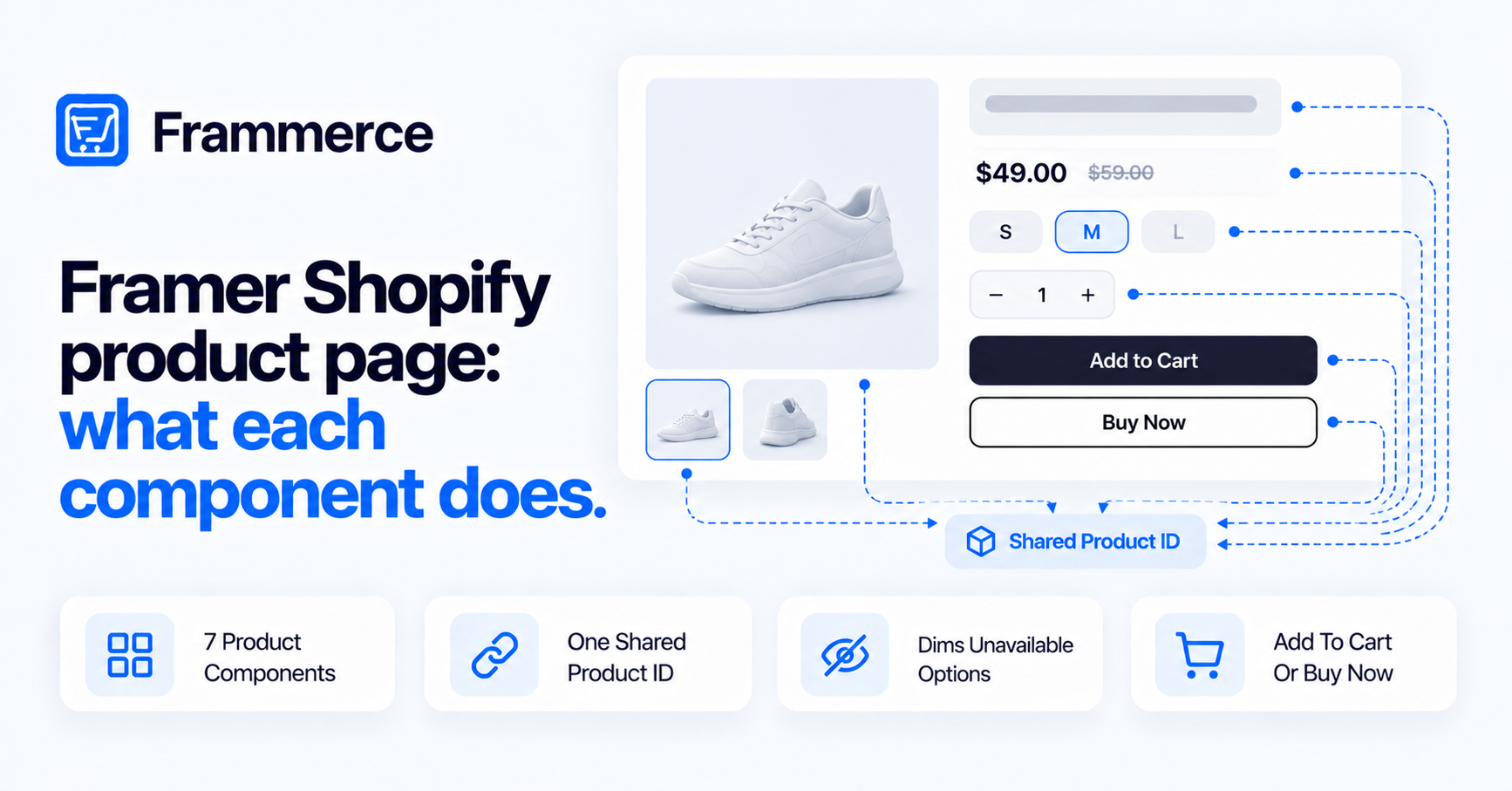
- Variant picker. Size, color, or material options, shown as swatches or a selector. Selecting one updates the active price and stock status shown on the page.
- Quantity input. A stepper for setting how many units to add to the cart, usually paired with a stock status indicator so a shopper cannot select more than what is available.
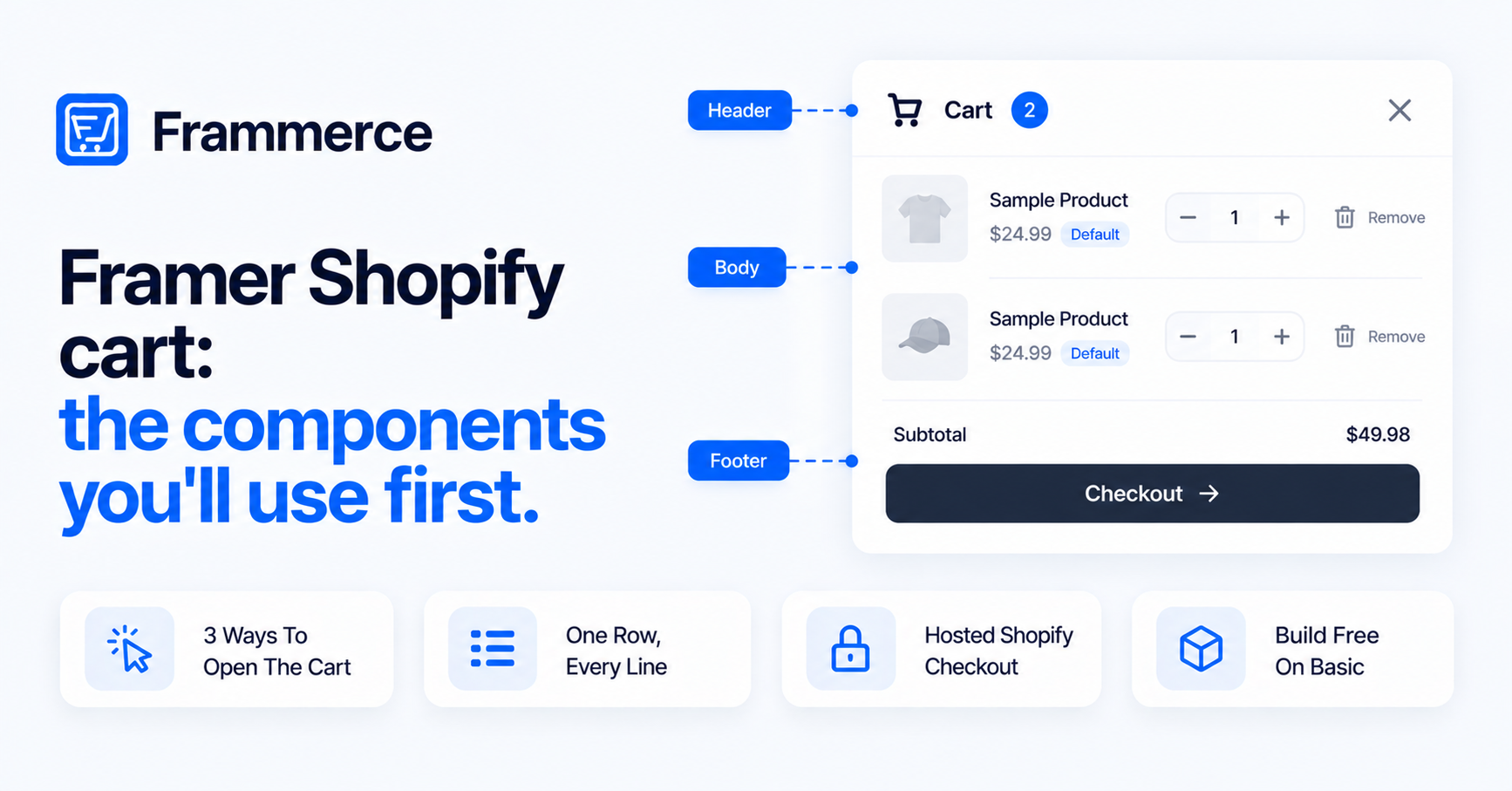
Inside the cart itself, a related form reappears: a line quantity stepper for adjusting how many of an item are in the cart without leaving the page, plus a remove button for dropping a line entirely. Both write directly to cart state, so the subtotal and item count update live as a shopper adjusts anything.
Stock status usually sits next to both forms rather than as its own separate step. Showing in-stock, low-stock, or sold-out directly on the variant picker means a shopper never fills in a quantity for an option that cannot actually be fulfilled, which avoids a failed submission later at checkout.
Can you skip the full cart form entirely?
Sometimes, yes. A Buy Now action skips the cart drawer and sends a shopper straight to Shopify's hosted checkout with a single item and quantity already selected. It is still technically a form, one submission (product, variant, quantity) instead of the multi-line form a shared cart represents.
This fits single-product pages or a landing page selling one item, where adding a full cart drawer is more form than the purchase actually needs. A multi-product catalog still benefits from a real cart, since most shoppers buying more than one item want to review everything before checking out, not confirm each purchase separately. Our breakdown of what makes Framer Shopify stores actually convert covers when a Buy Now shortcut helps versus when it costs a sale.
Framer ecommerce forms vs Framer's native form component: what's the difference?
The native form component collects data and sends it somewhere, an email inbox, a spreadsheet, a CRM. Ecommerce forms read and write live commerce state: current price, current stock, current cart contents, pulled through Shopify's Storefront API rather than a static form submission.
That difference is why a commerce plugin ships its own dedicated components instead of extending the native form builder. A variant picker needs to know a product's current variants and stock in real time. A native form field has no concept of that data at all, it just captures whatever a visitor types or selects and forwards it along. Not every plugin ships the same depth of component here either, comparing plugin options by component coverage is worth doing before picking one.
How do these forms connect to Shopify's checkout?
The checkout button is the final form in the sequence: it takes the current cart state, everything a shopper has selected and adjusted through the variant picker, quantity inputs, and cart, and hands it to Shopify's hosted checkout. Payment, tax calculation, and fraud protection all run on Shopify's side from that point forward, not inside Framer. The cart components guide covers the Checkout Button's controls, including how it handles an empty cart.
That handoff is deliberate. Rebuilding a PCI-compliant checkout form from scratch inside Framer is not something most teams should take on just to keep a shopper on the same domain for a few extra seconds. The setup guide walks through wiring that handoff step by step.
The forms before that handoff still matter for conversion, though. Baymard's checkout research has found average checkout flows running well past the field count that actually converts best, and high-performing sites complete a purchase with far fewer fields than the average. The same principle applies upstream: a variant picker with a clear default selection and a quantity input that defaults to one, rather than an empty field a shopper has to fill in manually, removes friction before checkout even starts.
Do you need to build ecommerce forms from scratch in Framer?
Not if you are using a synced commerce plugin. Frammerce ships variant pickers, quantity inputs, cart quantity steppers, and a checkout button as ready components, drag them onto a product or cart page and they read live Shopify data automatically. All of these components are included from the free tier, live checkout on a published site is what the paid pricing tiers unlock. Full setup details are in the docs, and the ecommerce website guide covers how the underlying catalog sync works if you want the full picture. If you have not started a store yet, our getting-started guide covers the full sequence these forms slot into.
Building these forms from scratch means writing the same live-inventory logic yourself: checking stock before allowing a quantity increase, updating price display on variant change, and managing cart state across pages, which is a real engineering task, not a form-building one.
Can I use Framer's native form builder for a product order form?
You can, but it will not reflect live stock or pricing, and it will not write to persistent cart state. It is better suited to a manual order-request form than an actual add-to-cart flow.
Do variant picker forms update the price automatically?
Yes, when connected through a synced commerce plugin. Selecting a different size or color updates the active price and stock status shown, since both come from the same live Shopify data as the rest of the product.
What happens if a shopper picks a sold-out variant?
Stock status components are meant to reflect real-time inventory, so a sold-out variant should show as unavailable and block the add-to-cart form from submitting for that option.
Are these forms mobile-friendly by default?
Component behavior is generally mobile-responsive, but the actual layout, spacing, and tap target size are still yours to design on the canvas, the same as any other Framer component.
Can I style these forms to match my brand?
Yes. The components supply the logic, live data and cart behavior, while layout, color, spacing, and typography stay fully within your control on the canvas, the same as styling any other part of a Framer site.
Do these forms work if a product has no variants?
Yes. A single-variant product simply skips the variant picker step, showing price, stock status, and a quantity input directly, since there is nothing to choose between.
Bottom line: shipping ecommerce forms on a Framer store
Ecommerce forms for Framer are not the same problem as a contact form. They need live Shopify data behind every input and a persistent cart tying them together, which is why they come from a commerce component set rather than a general-purpose form builder. Fewer, clearer inputs still win here the same way they do in any checkout form. Baymard's own checkout research has documented average checkout flows running well past the field count that actually converts best, and the same instinct, cut what is not essential, applies to a product form as much as a payment form.
Whichever components a catalog actually needs, variant picker, quantity input, Buy Now, or the full cart, the win is the same: live Shopify data behind every field instead of a static form someone has to keep in sync by hand.
Frammerce ships these forms pre-built and synced to Shopify, with pricing that starts free so you can test them against a real catalog before paying anything, or get in touch if your product setup has requirements worth talking through first.