Key takeaways
- A Framer ecommerce plugin is what connects Shopify's catalog, cart, and checkout to Framer's canvas. Framer has none of that built in.
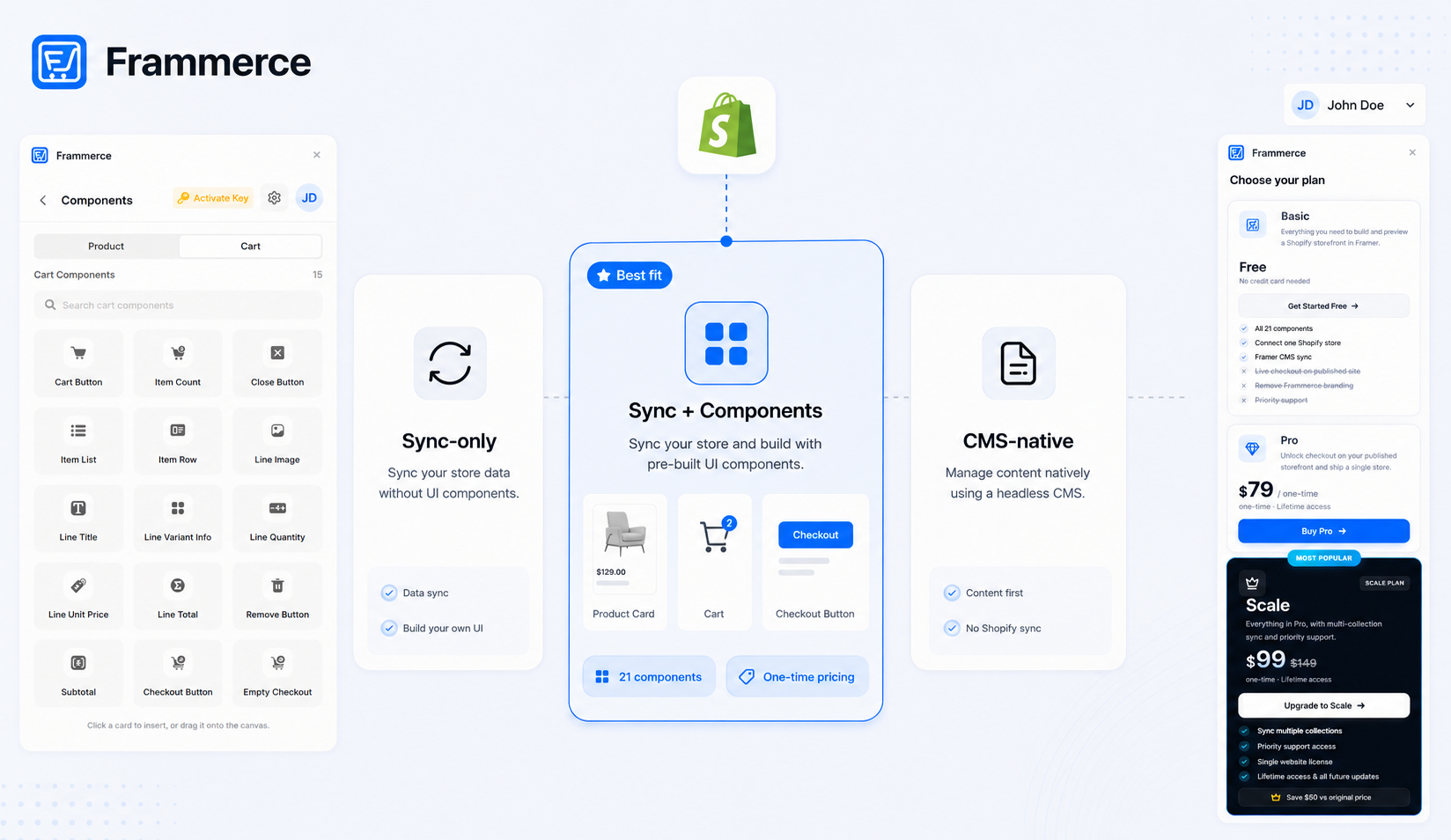
- Plugins split into three shapes: sync-only tools that hand you raw data, sync-plus-component libraries that also give you product and cart UI, and CMS-native tools that skip Shopify entirely.
- What actually differs between plugin options is sync depth, component coverage, and whether pricing is one-time or recurring, not the marketing copy.
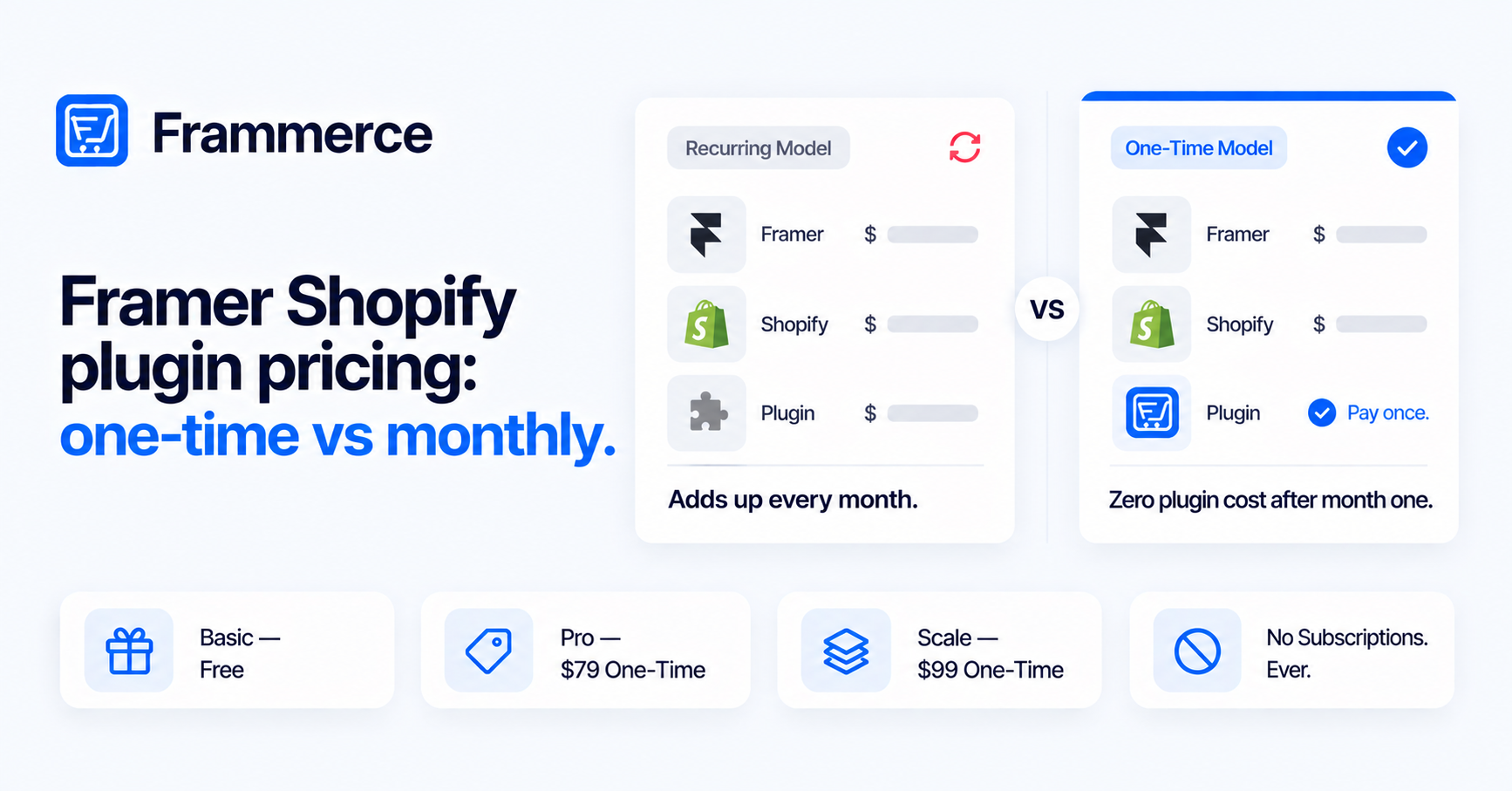
- Frammerce ships 21 components with a synced Shopify catalog and one-time pricing: Basic is free, Pro is $79, Scale is $99 (down from $149).
- Checkout friction decides more of your conversion than which plugin you pick: cart abandonment averages 70% industry-wide, and most of that is fixable regardless of platform.
What does a Framer ecommerce plugin actually do?
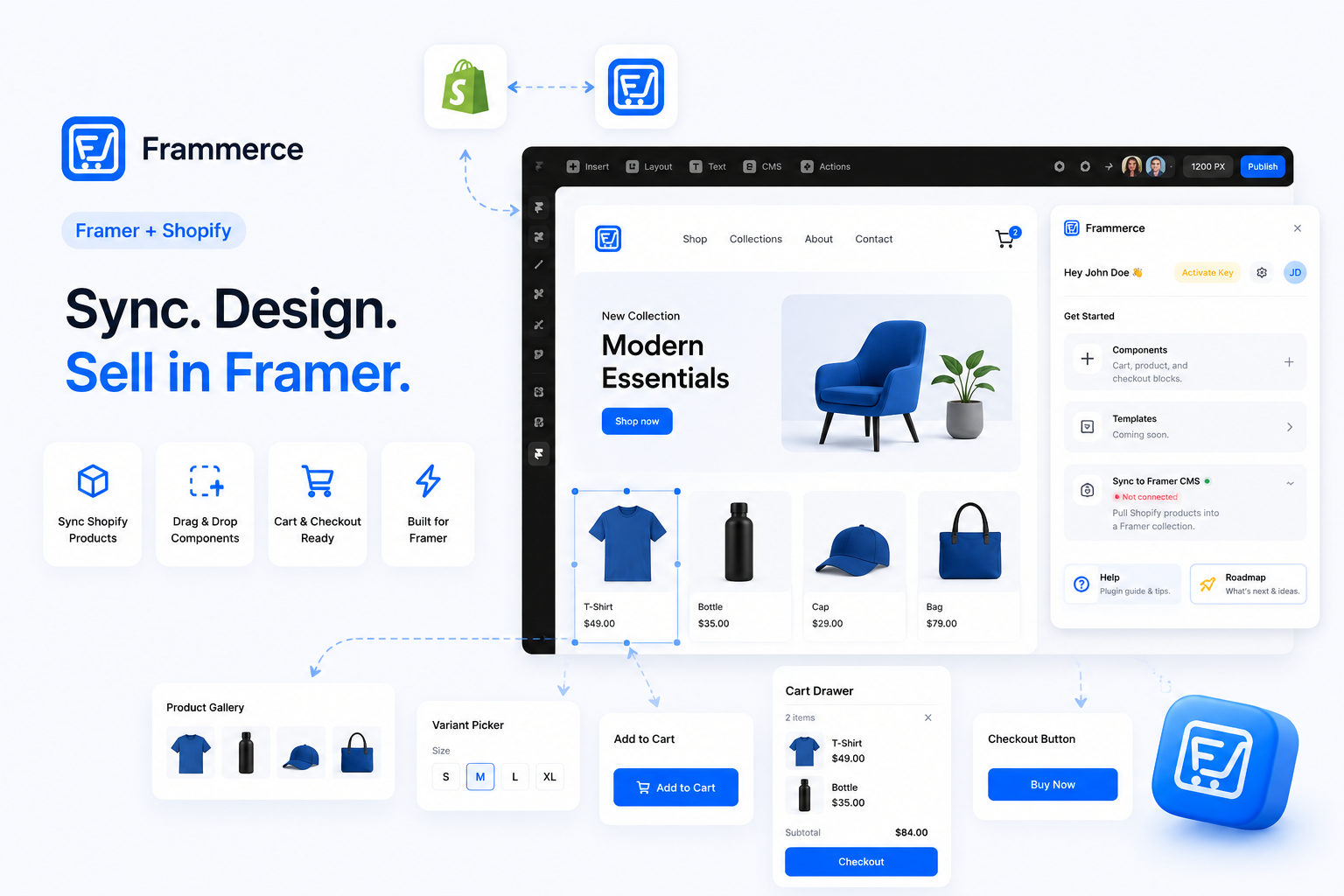
A Framer ecommerce plugin connects a commerce backend, almost always Shopify, to Framer's canvas and CMS. Framer ships design tools, a CMS, and a publish pipeline, but no cart, no checkout, and no order system. A plugin is the piece that fills that gap: it pulls your product catalog into Framer's CMS and, depending on the plugin, gives you ready-made components to display and sell that catalog without writing GraphQL calls by hand.
That second part is where plugin options actually diverge. Every plugin in this space touches the same underlying pipe, Shopify's Storefront API, a GraphQL endpoint built for external frontends that need product, collection, and cart data. What a plugin does with that connection, sync only, sync plus a full component set, or something narrower, is the real comparison point.
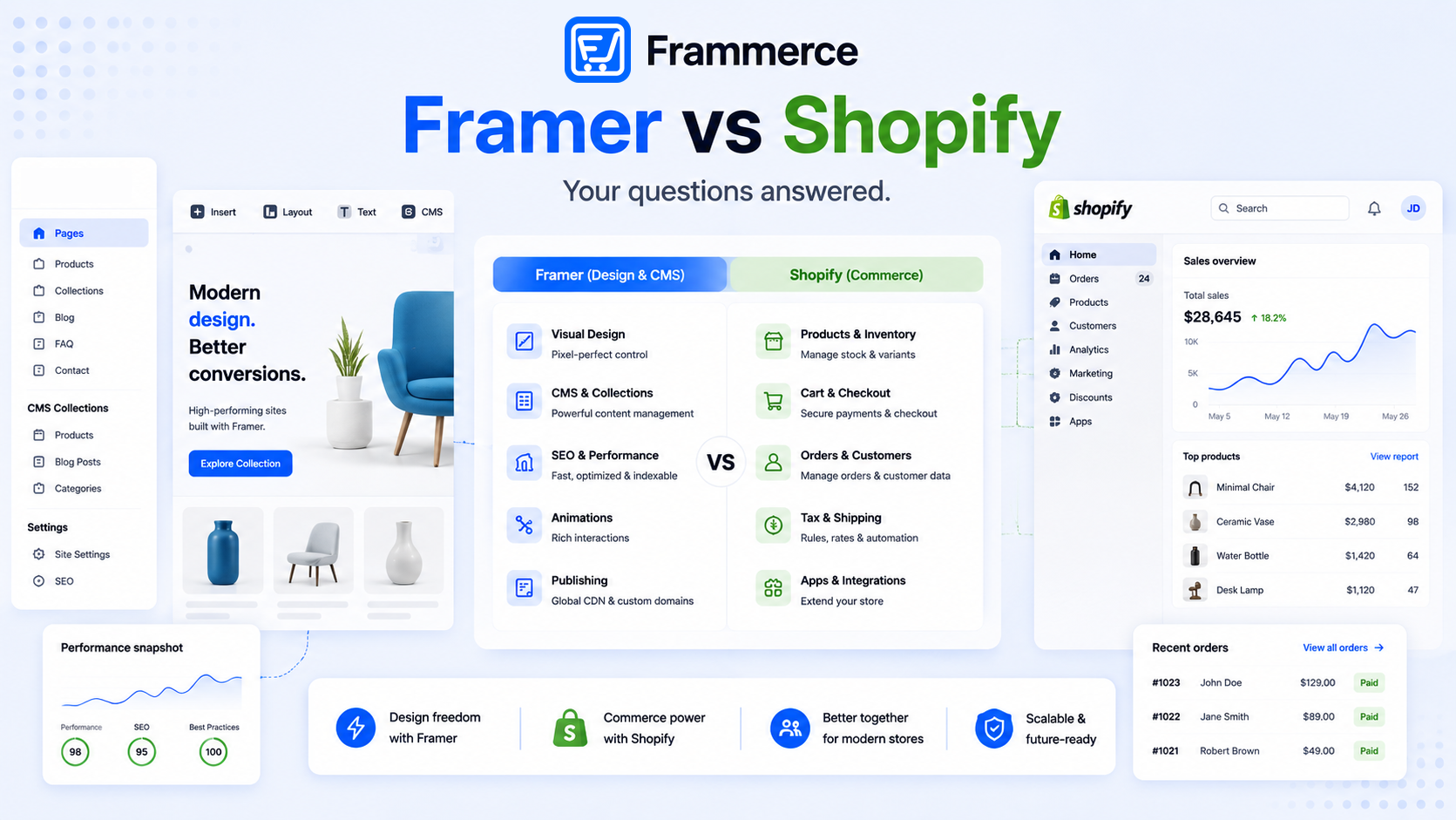
This post is scoped to comparing plugin options once you have already decided to bridge Framer and Shopify. For the wider question of whether Framer or Shopify should own which part of your stack in the first place, our full framer vs Shopify breakdown covers that.
Do you need a plugin, or can Shopify's own tools handle it?
Shopify's own storefront editor and checkout layer can run a store on their own, but they do not give you Framer's canvas. If the goal is a Framer-designed storefront, something has to bridge the two, since Framer has no native awareness of Shopify products, variants, or inventory. That bridge is the plugin.
Skipping a plugin means writing that bridge yourself against the Storefront API: CMS field mapping, cart state that persists across pages, and a checkout handoff, all built from scratch. That is a real engineering project, not a design task, which is exactly why most Framer designers and small agencies reach for a plugin instead.
What should you compare before picking a Framer ecommerce plugin?
Four things matter more than feature counts on a landing page.
- Sync depth. Does it sync variants, inventory, and metafields, or just basic product titles and prices?
- Component coverage. Do you get pre-built product galleries, variant pickers, and cart UI, or just raw synced data you still have to design display logic for?
- Pricing structure. One-time license or a recurring charge stacked on top of your Shopify and Framer bills every month?
- Checkout handling. Does it hand off cleanly to Shopify's hosted checkout, where payment and fraud protection actually run, or try to reinvent that step?
Everything else, branding, onboarding screens, marketing language, is secondary to those four. A plugin's landing page will always emphasize its strongest category. Sync-only tools lead with "connect any backend." Component libraries lead with a components count. Neither number tells you whether the checkout handoff, the part most likely to break silently, is actually solid, so ask about that directly instead of reading it off the pricing page.
The three shapes a Framer ecommerce plugin actually takes
Strip away the naming and positioning, and Framer ecommerce plugins fall into three real categories.
| Category | What it gives you | Trade-off |
|---|---|---|
| Sync-only | Raw catalog data synced into Framer's CMS | You still design and build every product, cart, and checkout component yourself |
| Sync plus component library | Synced catalog and ready-made product, cart, and checkout components | Fastest path, but you work within the component set provided |
| CMS-native, no Shopify | Products live directly in Framer's CMS with a separate payment link | Skips a commerce backend entirely, no real inventory tracking or shared cart |
Most Framer designers and small agencies want the middle category. Sync-only plugins solve half the problem and leave the harder half, the actual product and cart UI, on your plate. CMS-native setups work for a handful of digital products, but stop working once you need real inventory or tax logic, which is exactly what a Shopify backend already solved.
You can usually tell which category a plugin falls into before installing it. A component count on the pricing page (7, 21, 40, whatever the number) signals a component library. Copy that only mentions "sync" or "connect your store" without naming any UI usually signals a sync-only tool, meaning the product galleries and cart drawer are still yours to build. A plugin that never mentions Shopify by name and instead talks about "add a buy button" is usually the CMS-native category, worth a second look if your catalog is more than a handful of items.
One-time pricing vs recurring: what does a year actually cost?
Plugin pricing in this space splits cleanly into two models: a recurring charge billed monthly on top of your existing Shopify and Framer bills, or a one-time license fee paid once.
The math is straightforward once you lay it out. A recurring plugin charge compounds every month for as long as the site is live. A one-time fee is paid once, and the total cost stops growing after that. For a solo merchant or a small agency shipping several client stores, that difference adds up fast, especially across multiple projects running the same plugin.
Frammerce uses one-time pricing. The Basic tier is free and includes all 21 components, one Shopify store connection, and CMS sync, no live checkout on a published site yet. Pro is a one-time $79 and unlocks live checkout, a single website license, branding removal, lifetime updates, and standard email support. Scale is a one-time $99, down from $149, and adds multi-collection sync plus priority support access for larger catalogs or multiple product lines. Full details are on the pricing page.
Run the two models out over a year and the gap is obvious. A recurring plugin charge of $20 a month lands at $240 by month twelve and keeps going every year after. A one-time $79 license costs $79 once, full stop. Multiply either model across three or four client stores and a small agency feels the difference quickly.
Where does Frammerce fit among Framer ecommerce plugin options?
Frammerce sits in the sync-plus-component-library category: it syncs a Shopify catalog into Framer's CMS collections and ships 21 pre-built commerce components, product galleries, variant pickers, quantity steppers, cart drawers, and a checkout button that hands off to Shopify. One Shopify store connection per plugin instance, one canvas, no separate storefront codebase to maintain. The cart components guide breaks down the cart side control by control.
The two hardest parts of building this bridge by hand are CMS field mapping, getting Shopify's variants, options, and metafields to line up exactly with Framer CMS fields, and cart state, keeping a shopper's cart intact as they move from a product page to a collection page to checkout. Frammerce owns both, which is the actual value a component-library plugin adds over a sync-only tool: you are not left designing cart persistence logic yourself.
Full setup details live in the docs, and the ecommerce website guide walks through the full architecture if you want the deeper how-to. If you are weighing a plugin against writing the Storefront API integration yourself, this plugin vs custom breakdown covers that decision directly. Once a plugin is picked, the setup guide walks through connecting your first Shopify store step by step.
What happens if you outgrow the plugin you picked?
Usually nothing catastrophic, since your catalog lives in Shopify the whole time, not inside the plugin. Outgrowing a sync-only plugin means you finally build the product and cart components you were always going to need, work that a component-library plugin would have skipped. Outgrowing a CMS-native setup, once inventory or order volume passes what a payment link can handle, means adding a real Shopify backend and a sync plugin on top of it, closer to a fresh setup than an upgrade.
Outgrowing a component-library plugin is rarer, since most catalog growth (more products, more variants, a second collection) is a data change, not a design change. The Scale tier on Frammerce exists for exactly that case: multi-collection sync for a catalog that has grown past what the Basic and Pro tiers cover, without swapping plugins.
Does the plugin you pick change how much checkout friction costs you?
Not much. Across 50 studies compiled by the Baymard Institute, the average documented cart abandonment rate sits at 70.22%, and the leading causes, costs revealed too late, forced account creation, a checkout that feels too long, apply regardless of which plugin renders the cart. A component-library plugin gives you the pieces (a visible running total, guest checkout, a fast-loading cart drawer) to fix those causes. Whether you actually configure them that way is on you, not the plugin.
Shopify's own research on headless commerce notes that 40% of consumers will wait no more than three seconds before abandoning a site, one of the practical arguments for a lighter, headless setup like Framer plus Shopify over a heavier, template-driven storefront. Our breakdown of what makes Framer Shopify stores actually convert covers the checkout-specific fixes in more detail.
Can I switch Framer ecommerce plugins later without losing my catalog?
Generally yes. Your products, variants, and inventory live in Shopify regardless of which plugin reads them, so the underlying data survives a switch. What you lose is the existing CMS field mapping and any components tied to the old plugin, which need setting up again.
Do all Framer ecommerce plugins support the same Shopify plans?
Storefront API access is not limited to Shopify's most expensive plan the way it used to be. Confirm current API access in your Shopify admin if you are on an older plan, since Shopify's plan inclusions change over time.
Does a component-library plugin lock me into its design style?
No. The components are building blocks, not a fixed template. You style layout, spacing, and typography the same way you would design any other part of a Framer canvas, the plugin just supplies working product and cart logic underneath.
Can I use a Framer ecommerce plugin with an existing Framer site?
Yes. Product and cart components are designed to drop into pages you already have. A landing page gets a product grid, a blog post gets a buy button, without rebuilding the rest of the site.
Is a free tier enough to actually test a Framer ecommerce plugin?
For most plugins offering one, yes, if the free tier is generous enough to actually test with. Frammerce's Basic tier is free and includes the full 21-component set plus a live Shopify catalog sync, so you can connect a real (or development) store and see the actual sync and cart behavior on the canvas before paying anything, the one thing it doesn't unlock is checkout on a published site, which requires Pro. A free tier that only unlocks a handful of components tells you less about how the plugin performs once you rely on it.
Do I need a separate plugin for multiple Shopify stores?
Most plugins, Frammerce included, connect one plugin instance to one Shopify store. Running multiple stores through Framer usually means a separate connection per store, so check licensing terms directly if that is your setup, since standard pricing tiers do not always spell out multi-store cases in detail.
Bottom line: choosing a Framer ecommerce plugin
Sort options by what they actually ship, sync depth, component coverage, pricing model, checkout handling, not by feature counts on a landing page. Sync-only tools leave the hardest work on your plate. CMS-native setups skip a real commerce backend and stop scaling fast. A sync-plus-component plugin with one-time pricing, Frammerce among them, covers most Framer designers, freelancers, and solo Shopify merchants without either trade-off.
Whichever category you land on, checkout friction decides more of your conversion rate than the plugin choice itself. Get shipping costs shown early, guest checkout available, and the cart drawer fast, and the plugin underneath becomes invisible to your customers, they just see a store that works.
If you want to connect a Shopify catalog to a Framer canvas without writing Storefront API calls by hand, Frammerce is built for exactly that, with pricing that starts free so you can test the full setup before committing to anything paid, or get in touch if you want to talk through a specific catalog first.