Key takeaways
- A Framer ecommerce site has no built-in cart, checkout, or order management by default. Framer's canvas does not ship one.
- Most Framer stores use Shopify as the backend, then design the storefront on the Framer canvas.
- Connect the two through a plugin, not a custom integration, unless your project genuinely needs custom engineering, which is rare.
- This guide covers how that architecture works and which approach (plugin, custom API, or Framer CMS with payment links) fits different projects.
- Checkout friction, not platform choice, is what usually kills conversion: cart abandonment averages 70% industry-wide, and the top causes are fixable regardless of which approach you pick.
What is a Framer ecommerce website?
A Framer ecommerce website is a site designed on Framer's canvas that sells products through a connected commerce backend, almost always Shopify, since Framer itself has no cart, checkout, or order system built in.
Can you build an ecommerce site in Framer?
Not with Framer alone. Framer ships a canvas, a CMS, and a publish pipeline, but no cart, no checkout, and no order management. Ask in the Framer community and the honest answer is always the same: you connect a real commerce backend and design the storefront on top of it.
Shopify is the backend most people reach for. It already handles inventory, tax, shipping rates, and payment processing, the parts nobody wants to build by hand. Framer handles the part Shopify's own editor is bad at: a storefront that actually looks designed instead of templated. Put the two together and "Framer ecommerce" stops being a contradiction and starts being a normal Tuesday build.
What that split actually buys you is design freedom without giving up commerce infrastructure. You keep full control of layout, animation, and typography on the canvas, the same way you would on any Framer marketing site, while Shopify quietly handles the parts that need to be boring and reliable: order records, tax rules per region, payment gateways, fraud checks. Nobody wants a designer hand-rolling PCI compliance, and nobody wants a commerce platform dictating how a product page has to look. Splitting the two responsibilities is the whole point.
Who is a Framer ecommerce site a good fit for?
It fits Framer designers and freelancers, small agencies building client stores, and solo Shopify merchants who want a storefront that does not look templated best. Anyone whose site already lives in Framer and wants to add commerce without moving platforms fits this too.
It is not the right fit for enterprise marketplaces with complex multi-vendor logic, businesses that need a custom ERP integration, or commerce systems with requirements a plugin-based sync cannot reasonably cover. Those cases usually need custom engineering against the Storefront API directly, or a different platform altogether.
What's the fastest way to build a Framer ecommerce website?
The fastest route is a plugin that syncs your Shopify catalog straight into Framer's CMS and ships pre-built commerce components you drop onto the canvas. The slower routes are custom API integration (you write the GraphQL calls yourself) or bolting a generic page builder onto Shopify and fighting its layout constraints the whole way through.
A synced approach skips both problems. Your products, variants, and inventory live in Framer's CMS as structured collections, so you design product grids, variant pickers, and cart drawers the same way you would design any other Framer component: drag it in, style it, publish. No templating language to learn, no separate storefront codebase, no servers to run.
Here is how the three real options compare.
| Option | Difficulty | Flexibility | Best for |
|---|---|---|---|
| Shopify plugin (catalog sync) | Low | Medium to high, full design control with standard commerce logic | Most Framer plus Shopify projects, designers and small agencies |
| Custom Storefront API integration | High | Highest, build any logic you need | Teams with engineering resources and non-standard commerce requirements |
| Framer CMS with payment links | Low | Low, no real cart and no inventory sync | A handful of digital products or a very small catalog |
How does Shopify data sync into Framer's CMS?
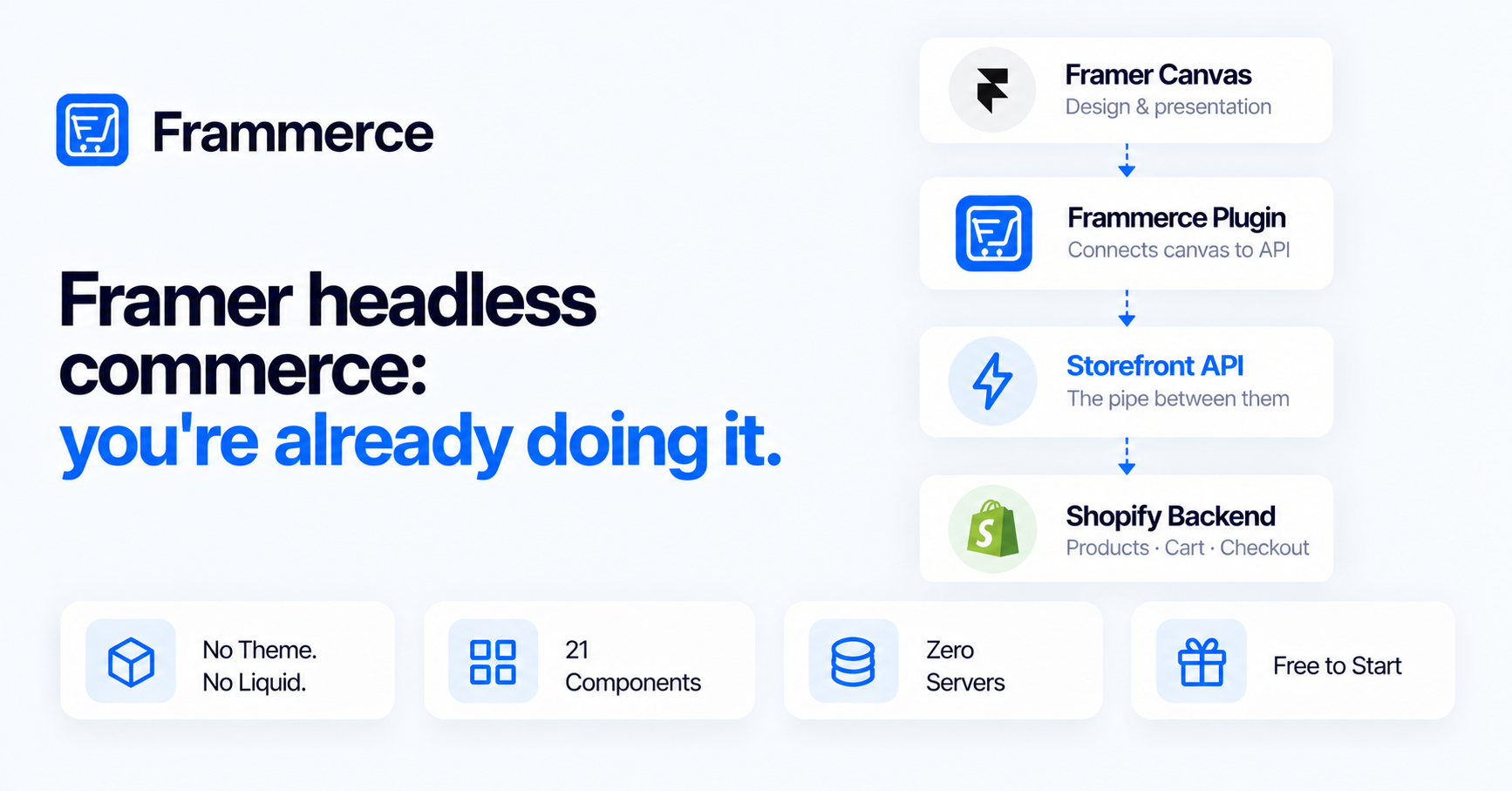
In plain terms: Shopify provides an API that lets external websites retrieve product information and create carts securely. That API is called the Storefront API, and it is the pipe connecting your Shopify catalog to whatever frontend you build, Framer included.
Under the hood, the Storefront API is a GraphQL endpoint built for exactly this: custom frontends that need product, collection, and cart data without touching Shopify's REST admin API. Basic reads (products, collections, cart operations) work without an access token at all, capped at a fixed query complexity limit. Anything deeper (metafields, customer data, tags) needs a token passed through a header, public for browser calls, private for server-side ones.
On the Framer side, that data lands in CMS collections, Framer's structured content model built from items and fields. Dynamic content pages pull from a collection, and collection lists render multiple items at once, which is exactly the shape a product catalog needs: one collection, many products, each with fields for price, images, and variants. A sync plugin's whole job is keeping that collection current every time inventory changes on the Shopify side.
The flow, end to end, looks like this.
[ Shopify catalog ]  --sync-->  [ Sync plugin ]  --sync-->  [ Framer CMS ]
  products, variants,             maps fields,               collections,
  inventory, pricing               keeps it current           items, fields
                                                                    |
                                                                    v
                                                        [ Framer website / canvas ]
                                                          product pages, cart
                                                                    |
                                                                    v
                                                              [ Checkout ]
                                                                    |
                                                                    v
                                                    [ back to Shopify: payment,
                                                       order, fulfillment ]
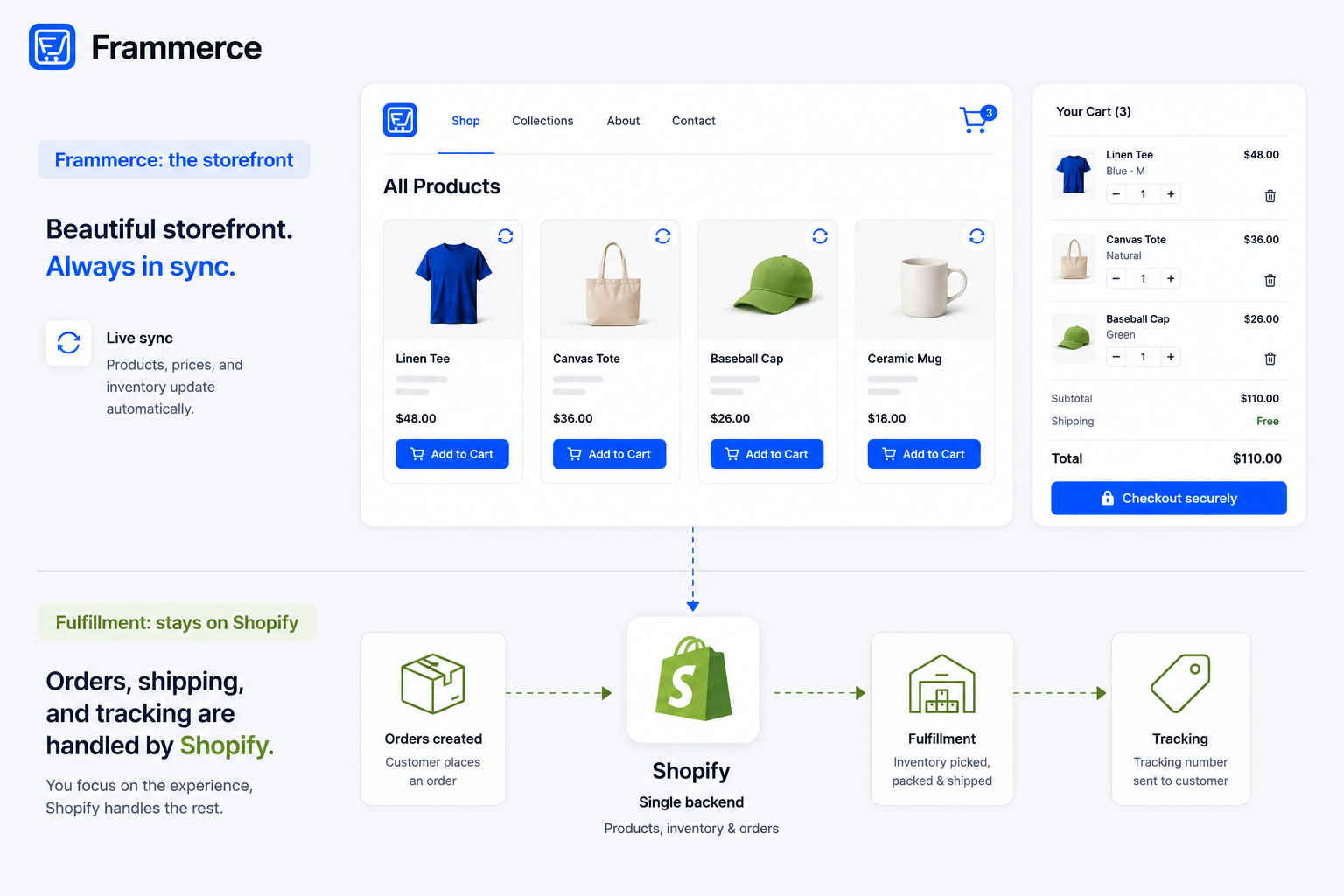
Catalog data flows one direction, into Framer, so you can design with it. Checkout hands back to Shopify, since that is where payment and order records actually need to live.
The best ecommerce platform to pair with Framer
Shopify is the practical default, not because it is flashy but because the Storefront API is mature, well documented, and built for exactly this use case: custom frontends that skip Shopify's built-in storefront layer entirely. Other page builders bolted onto Shopify tend to fight the platform's own layout system, and custom storefront development means learning Shopify's templating language and maintaining a codebase nobody on a small team wants to own.
The alternative some designers consider is skipping a commerce backend entirely and running products natively through Framer's own CMS with a separate payment processor. That works for a handful of digital products or a very small catalog. It stops working once you need real inventory tracking, tax calculation across regions, or shipping rate logic, all things Shopify already solved.
Do you need a separate Framer store builder plugin?
Yes, and here is why: Framer's canvas has no concept of cart state, checkout flow, or Shopify authentication. Without a plugin, you are writing that logic yourself against the Storefront API, which is a real engineering project, not a design task.
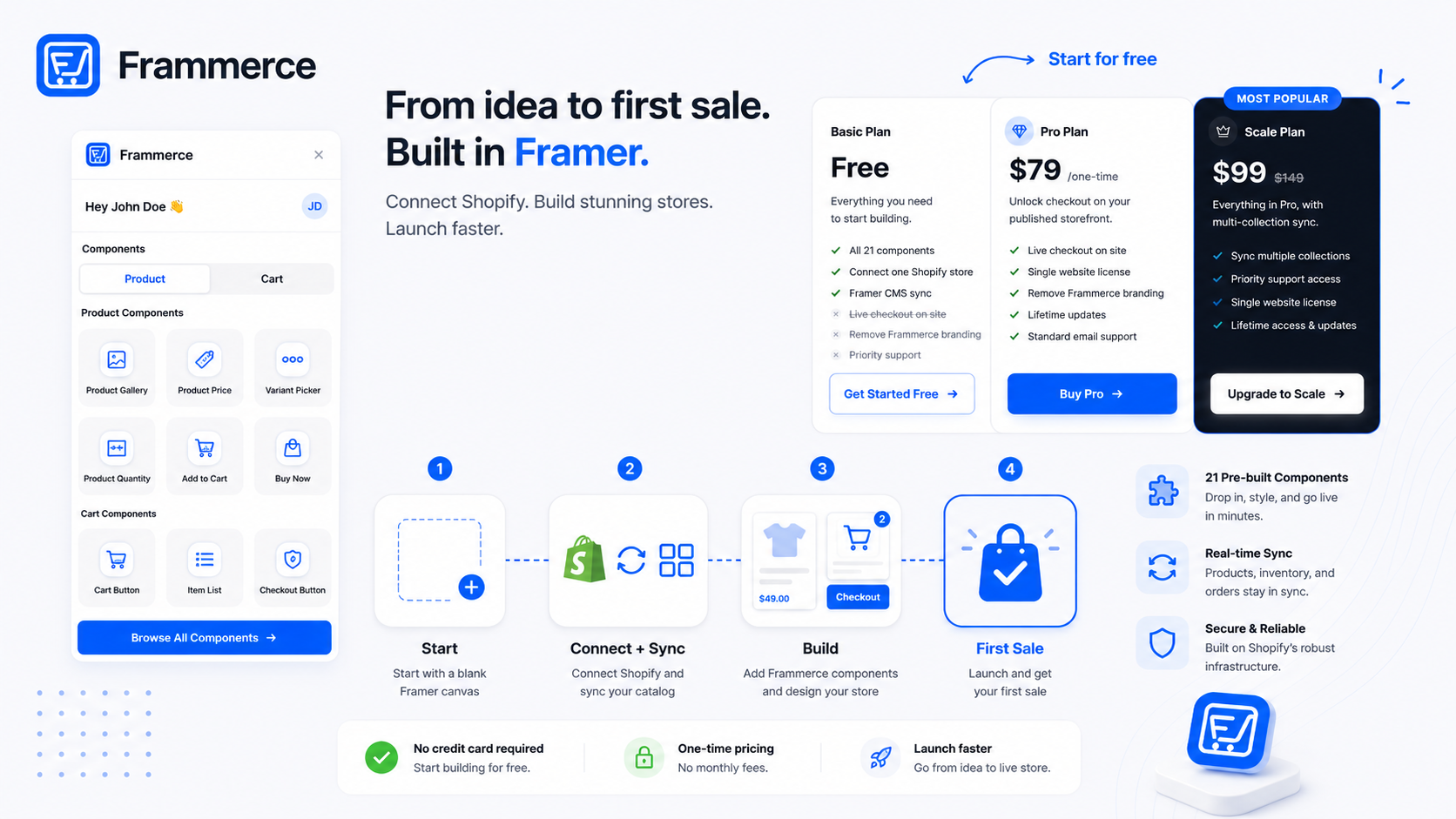
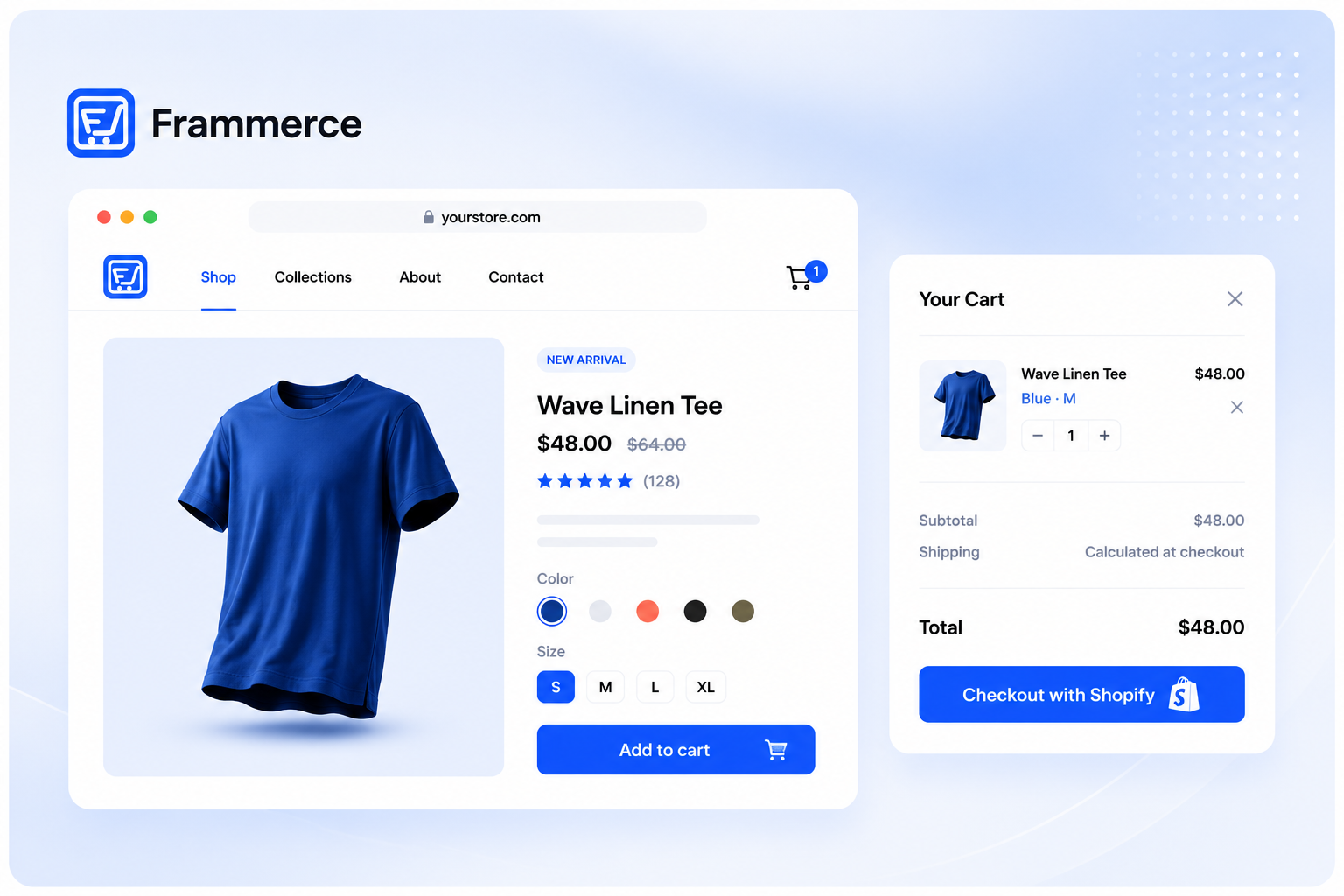
This is the gap Frammerce fills. It is a single Framer plugin that syncs your Shopify catalog into Framer's CMS and ships 21 pre-built commerce components: product galleries, variant pickers, cart drawers, and checkout buttons that connect straight to your Shopify store. One connection, one canvas, no storefront codebase to maintain and no backend to run. You design the storefront, the plugin keeps the cart and catalog wired to Shopify underneath it.
Two problems show up the moment you try to skip the plugin and wire this up by hand. The first is CMS field mapping: Shopify's product schema (variants, options, metafields, inventory levels) has to line up with Framer CMS fields exactly, and any mismatch breaks the sync silently until a product goes live with the wrong price. The second is cart state across pages. A cart is not a single component, it is state that has to persist as a shopper moves from a product page to a collection page to checkout, and Framer's canvas has no built-in mechanism for that. A sync plugin solves both by owning the mapping and the cart state so you never touch either directly.
Cart and checkout: where most Framer ecommerce sites fall apart
Design is rarely the reason a Framer ecommerce site underperforms. Checkout friction is. Across 50 studies compiled by the Baymard Institute, the average documented cart abandonment rate sits at 70.22%. Strip out shoppers who were just browsing, and the remaining reasons split out cleanly: 39% cite extra costs revealed too late (shipping, tax, fees), 21% say delivery was too slow, 19% do not trust the site with payment information, another 19% abandon because the site forces account creation, and 18% call the checkout process too long or complicated.
Every one of those is a design and configuration problem, not a Shopify limitation, and most of them map to a specific fix.
- Show shipping and estimated tax before the final checkout step, not as a surprise on the last screen.
- Offer guest checkout by default. Forcing an account creates a wall exactly where you want the least friction.
- Keep the cart drawer visible with a running total, so nothing about the final number is a surprise.
- Build the checkout flow to load fast on mobile first. A slow cart page loses shoppers before they ever see the total.
Speed matters more than most storefronts treat it. Shopify's own research on headless commerce points out that 40% of consumers will wait no more than three seconds before abandoning a site, which is one of the real arguments for a headless setup like Framer plus Shopify over a heavier, template-driven storefront: fewer layers between a click and a rendered page.
Can you sell on Framer without a full online store rebuild?
Yes. You do not need to throw out an existing Framer site to add commerce to it. Product and cart components are designed to drop into pages you already have: a landing page gets a product grid, a blog post gets an inline buy button, without touching the rest of the site's structure.
This matters more than it sounds like it should. A lot of teams delay adding commerce because they assume it means a ground-up rebuild on a different platform. It does not. If your catalog is small and your site already exists in Framer, connecting Shopify and dropping in commerce components is closer to adding a new page than starting over.
A common case: an agency site or a personal brand already lives in Framer, and the client wants to sell three or four products without moving the whole site to a different platform. Connect the Shopify store, sync the catalog into the CMS, and add a product grid to an existing page. The rest of the site (the about page, the blog, the contact form) never has to change.
Why Framer and Shopify get paired so often
Across the wider Framer-builder audience, the recurring pattern is straightforward: most people taking on ecommerce care more about keeping their site's existing design intact than about replacing Shopify's commerce backend. That is the practical reason the Framer-plus-Shopify pairing shows up as often as it does. Shopify already solved inventory, tax, and payments, the actual demand is a storefront that does not look like every other default Shopify build.
How much does it cost to add Shopify commerce to a Framer site?
Pick the tier by what you are actually doing, not by feature count. Basic is for testing the plugin or running a demo before committing to anything. Pro is for a solo merchant or freelancer shipping one live site. Scale is for larger catalogs or teams that need multiple collections synced at once.
Frammerce's pricing itself is one-time, not a recurring charge stacked on top of your existing Shopify bill. The Basic tier is free and includes all 21 components, one Shopify store connection, and CMS sync. Pro is a one-time $79 and adds live checkout on your published site, a website license, and lifetime updates. Scale is a one-time $99 (down from $149) and adds multi-collection sync for larger catalogs or multiple product lines.
That one-time structure is worth weighing against recurring-billing page builders, where a per-month charge compounds on top of whatever Shopify already charges. For a solo merchant or a small agency shipping a handful of client stores, paying once tends to be the simpler math.
Can I sell digital products?
Yes. Shopify supports digital products alongside physical ones, and since a sync plugin pulls in whatever is in your Shopify catalog, digital products show up in Framer the same way physical ones do. Delivery and fulfillment for digital goods is still handled by Shopify or whatever app you use for that on the Shopify side.
Does inventory sync automatically?
Not instantly on its own. The plugin uses a re-sync model: re-run the sync any time your Shopify catalog changes, and drift detection shows exactly what changed since your last sync. You are still not manually updating stock counts field by field in two places, just triggering the sync rather than it happening the moment Shopify changes.
Can I customize checkout?
You can fully customize the product pages, cart, and everything up to checkout on the Framer canvas. Final checkout itself happens on Shopify's hosted checkout, which is where payment, tax, and fraud protection actually run. That handoff is deliberate: rebuilding a PCI-compliant checkout from scratch is not something most teams should take on themselves.
Can I use multiple Shopify stores?
Each plugin connection is built around one Shopify store. If you are running multiple stores, contact us about how licensing works for your specific setup, since this is an edge case the standard pricing tiers do not spell out in detail.
Can I sell products with recurring billing?
Shopify's Storefront API supports selling plans, which is the mechanism behind recurring-billing products on Shopify. Whether that renders cleanly in a Framer storefront depends on how the specific selling plan is configured on the Shopify side, worth testing with your actual product setup before launch.
Does this work with Shopify's cheaper plans?
Storefront API access is not restricted to Shopify's most expensive tier the way it used to be. If you are on an older or legacy plan, confirm current API access in your Shopify admin, since Shopify's plan structure and inclusions change over time.
Bottom line: shipping a Framer ecommerce site
A Framer ecommerce site is not a workaround, it is a specific architecture: Framer's canvas and CMS handle design and content, Shopify's Storefront API handles catalog, cart, and checkout, and a sync plugin keeps the two in step. Get the checkout friction points right (shipping costs shown early, guest checkout available, a fast-loading page) and the platform combination stops mattering to your customers entirely. They just see a store that works.
If you are ready to connect a Shopify store to a Framer canvas without writing Storefront API calls by hand, Frammerce is built for exactly this, or get in touch if you want to talk through a specific catalog before you commit.