Key takeaways
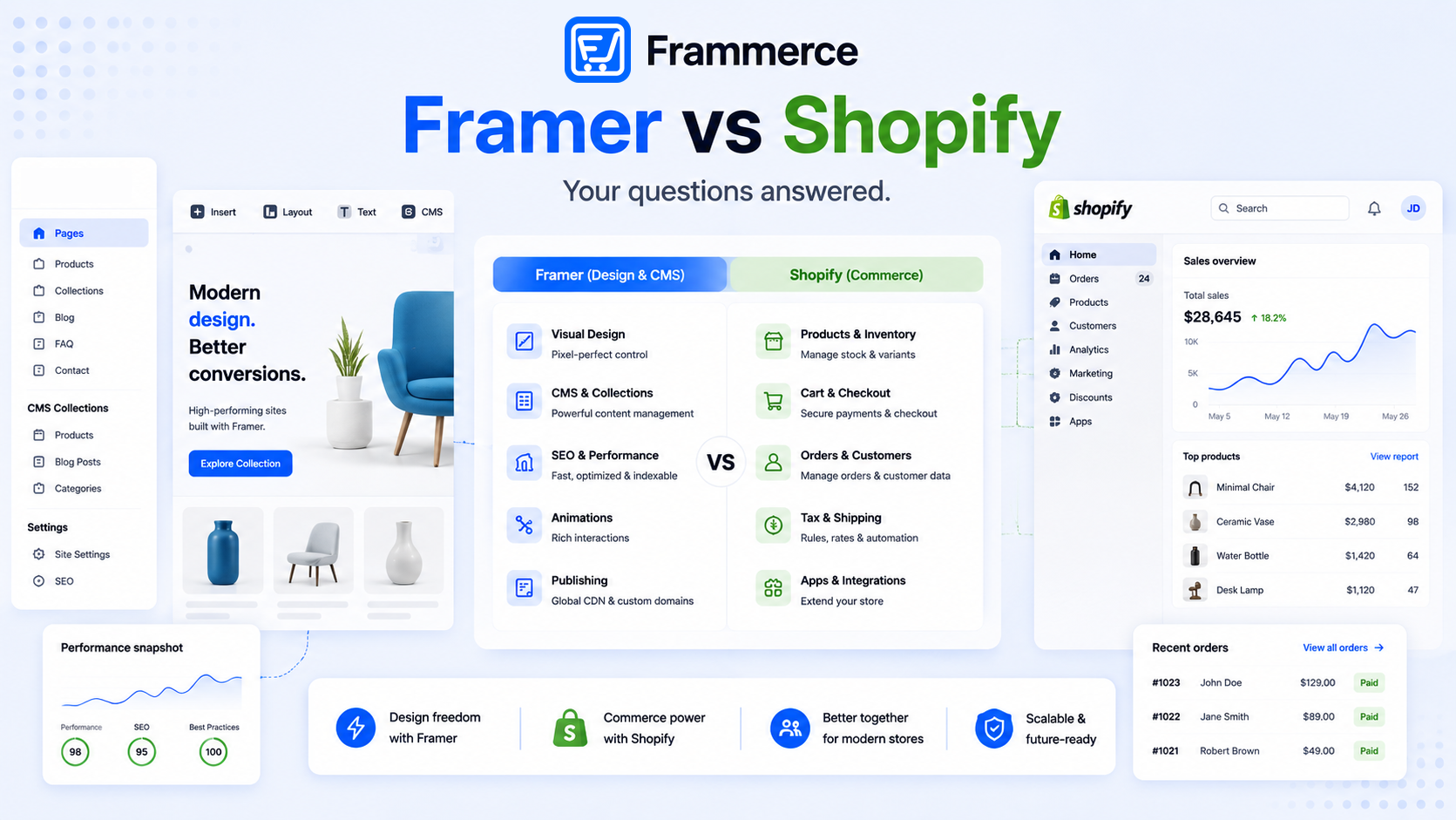
- Framer and Shopify are not interchangeable. Framer is a design and CMS platform, Shopify is a commerce backend, and most real stores that search "framer vs Shopify" end up using both together, not one instead of the other.
- Framer's own plans run $0 to $30 a month for most projects. Shopify's commerce plans are priced separately, and you typically pay for both if you want a designed storefront with real cart and checkout.
- You cannot run a real cart, checkout, or inventory system on Framer alone. You cannot design a fully custom storefront on Shopify's native editor the way you can on Framer's canvas.
- For SEO, Framer gives you more control over page structure and performance. Shopify handles commerce-specific SEO basics like product schema and canonical tags on variant URLs automatically. Neither substitutes for writing content worth ranking.
- Checkout friction and page speed decide more of your conversion rate than which platform you picked. Average cart abandonment sits at 70% regardless of the stack underneath it.
- The Framer-plus-Shopify pairing starts to strain at enterprise scale: Framer's CMS collection limits and Shopify's 3-option-per-product ceiling both become real constraints for very large catalogs.
Is "framer vs Shopify" really an either/or choice?
Not usually. Framer handles design, layout, and content. Shopify handles inventory, tax, payments, and order management. A framer vs Shopify comparison only makes sense if you are choosing where your storefront design lives, not whether you need a commerce backend at all, since Framer has none built in.
The more useful question is: which part of the stack are you actually unhappy with? If you are frustrated by how a default Shopify storefront looks, Framer solves that. If you want cart, checkout, and inventory managed without writing code yourself, Shopify solves that. The two complaints point to different parts of the same architecture, not competing platforms. Most practical setups end up pairing Framer's canvas with Shopify's backend through a sync plugin — that is the architecture the "framer vs Shopify" search usually leads to once someone gets past the framing.
What Framer actually does
Framer is a visual website builder: a canvas for layout and animation, a CMS for structured content, and a publish pipeline, with no native cart, checkout, or inventory system. It is built for design control first. Framer's own pricing page confirms this scope directly: even the Pro plan is sold on CMS collections, pages, and bandwidth, not commerce features.
On the performance side, Framer publishes to a global CDN with edge delivery, lazy loading, and asset compression built in. Its SEO features guide covers full control over metadata, indexing rules, sitemaps, and redirects, all without code. That matters for a storefront: a Framer-built product page gives you the same granular control over title tags and meta descriptions that a hand-coded page would, instead of working within whatever fields a theme exposes.
What Framer does not do: inventory, tax, cart state, payment processing, order records, fraud checks, or anything that touches money or stock levels. Every serious Framer ecommerce setup routes those responsibilities to an external backend, almost always Shopify.
What Shopify actually does
Shopify is a commerce backend: it manages products, variants, inventory, tax rules by region, payment processing, and order records. Its own built-in storefront editor exists, but it is not designed for the kind of granular visual control Framer offers. Most people who ask "framer vs Shopify" for design freedom are really asking whether they can keep Shopify's backend and swap out its default storefront layer, and the answer is yes, through the Storefront API.
Shopify also handles SEO infrastructure specific to a product catalog automatically: canonical tags on variant URLs to prevent duplicate-content penalties, product schema markup, and per-product meta fields editable directly in the admin. None of that needs to be rebuilt when you use Framer as the frontend, since those SEO signals live on the Shopify product data, not on the storefront layer on top of it.
One limit to know: Shopify supports up to 3 options per product, and up to 2,048 variants (raised from 100 in October 2025). The 3-option ceiling does not affect most catalogs, but it does matter for products with four or more dimensions, such as size, color, material, and fit combined. Hitting that ceiling is one of the signals that a catalog may need a more custom architecture than a standard Framer-plus-Shopify plugin setup.
Can you use Framer instead of Shopify?
Not for real commerce. Framer has no cart, no inventory tracking, and no payment processing built into the canvas. A handful of digital products can work with a CMS collection and simple payment links, but that setup has no shared cart, no inventory sync, and breaks down past a few SKUs. If you want a real storefront on Framer, pairing it with Shopify through a sync plugin is the architecture almost everyone ends up with.
The CMS-plus-payment-link path is worth understanding for what it is: a temporary solution for a very small catalog, not a scalable store. One collection, a few products, a Stripe or Gumroad link per item — it works until a customer tries to buy two things at once, or you add a tenth product and realize there is no cart, no tax calculation, and no order record anywhere. Shopify exists because those problems are genuinely hard to solve well, and the Storefront API exists so you do not have to choose between solving them and designing a storefront that looks good.
Can you use Shopify instead of Framer for design?
Yes, but with less flexibility. Shopify's native storefront editor works for a standard build, and plenty of stores run on it successfully. It is simply a more constrained design system than Framer's canvas, which is the whole reason a framer vs Shopify search usually ends with someone connecting the two rather than picking one exclusively.
Shopify's Liquid templating language gives developers meaningful control over markup, but it is a different skillset from working in Framer's canvas, and the iteration loop is slower: change a layout, push code, wait for a preview. On Framer, the same change is a canvas edit and a publish. For design-led teams or agencies already working in Framer, maintaining a separate Liquid codebase for a Shopify theme is overhead that rarely pays off for a standard catalog.
Framer vs Shopify pricing, side by side
Framer's plans, confirmed on its own pricing page, run from Free ($0, Framer subdomain only) to Basic ($10 a month on annual billing, custom domain) to Pro ($30 a month on annual billing, staging). CMS collection limits per plan are listed on the pricing page and change as Framer updates its tiers, so check there directly rather than relying on a cached number here. Enterprise pricing is custom.
Shopify's commerce plans are priced separately from anything Framer-related, typically ranging from its entry Basic tier up through Advanced, plus a per-transaction fee that drops as you move up tiers. Check Shopify pricing directly, since regional pricing and fee structures change. The practical takeaway: budget for both a Framer plan and a Shopify plan if you want a designed storefront with real commerce behind it, plus whatever a sync plugin costs on top.
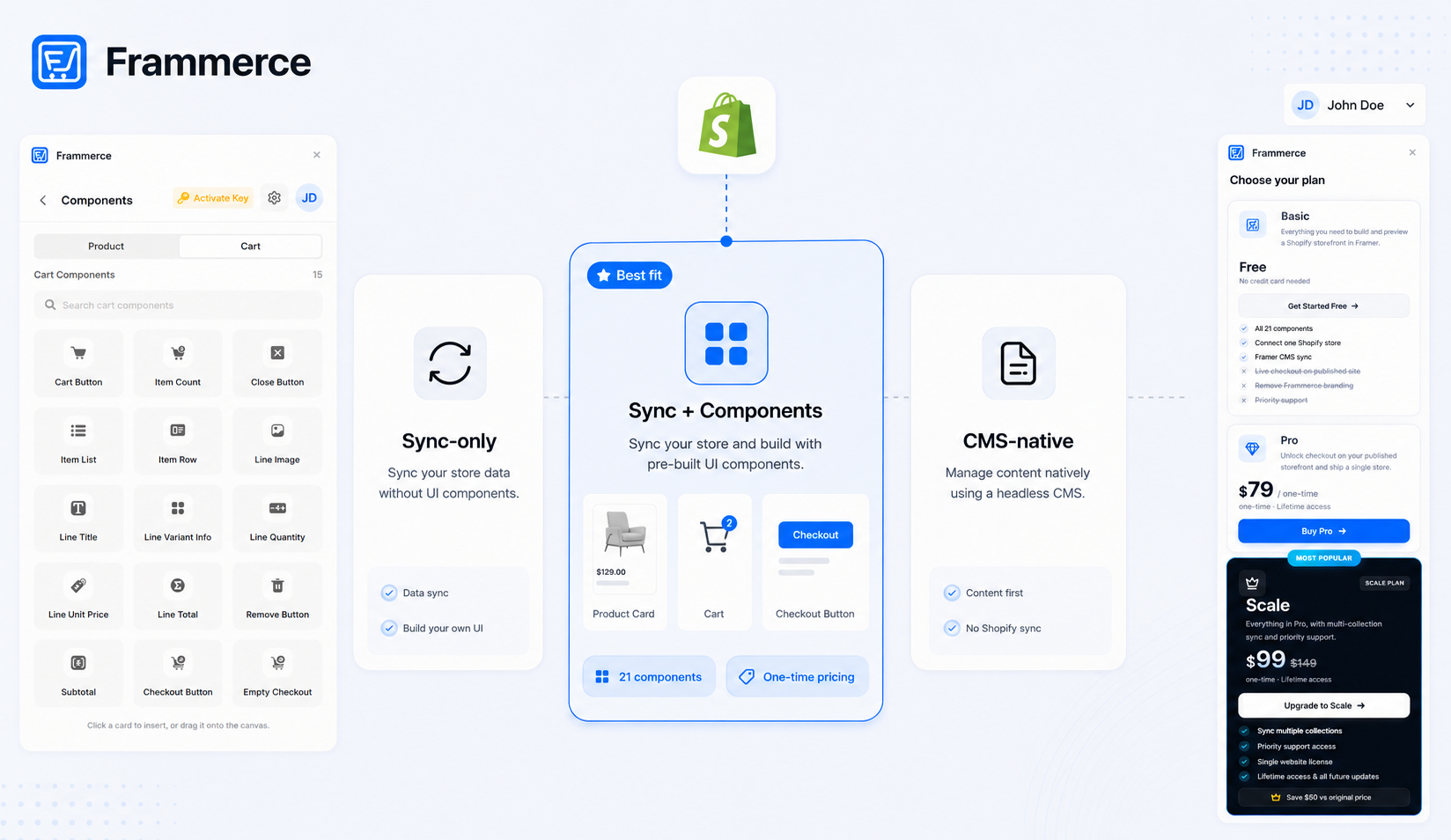
The numbers that actually move your total cost are the Shopify plan and the plugin. Frammerce's pricing is one-time — Basic is free, Pro is a one-time $79, Scale is a one-time $99 — so unlike a recurring plugin, it does not compound every month on top of both platform bills. A solo merchant on Framer Basic plus Shopify Basic plus Frammerce Pro is looking at roughly $10–$40 a month in platform costs after the one-time plugin fee, which is a different math than a recurring plugin charging $20–$30 a month on top of everything else.
Do you need to pay for both?
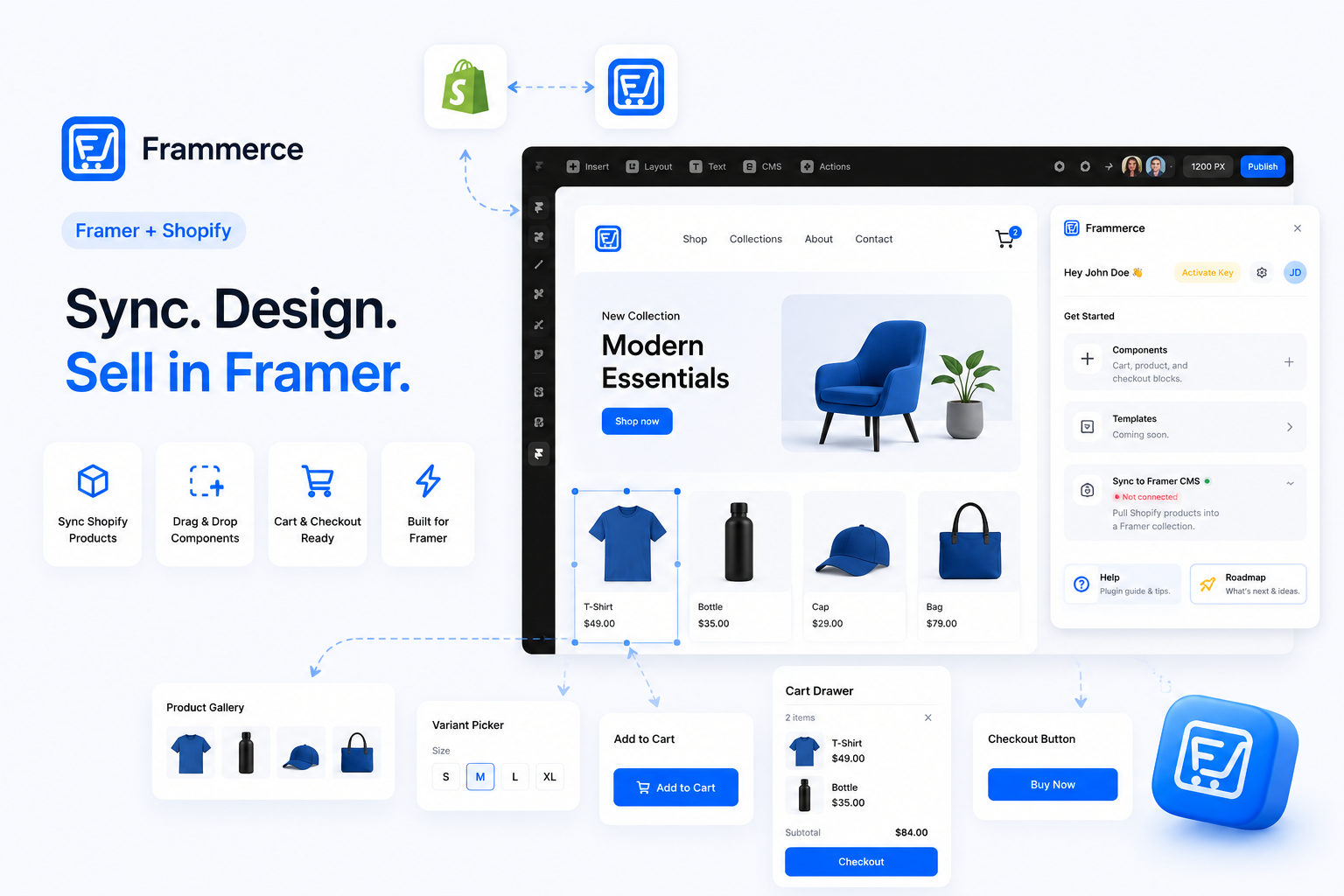
Yes, if you want Framer's design flexibility with Shopify's commerce backend. There is no way around paying for both platforms separately, since they solve different problems. What you can control is the plugin cost on top: some sync plugins bill a recurring cost, others charge once. The free tier on both sides is real and worth using before committing to anything paid. Framer's Free plan publishes a working site on a Framer subdomain. Frammerce's Basic tier is free and gives you the full plugin connection, CMS sync, and all 21 components — the only thing it does not include is live checkout on a published site, which unlocks on Pro. That means you can test the entire setup end-to-end, including the catalog sync and component placement on the canvas, before spending a dollar.
Can you use Framer's own CMS instead of a Shopify catalog?
For product data, not past a handful of items. Framer's CMS is a general-purpose content model, built for blog posts, team pages, and portfolio items, not inventory, variants, or order history. You can store basic product fields in a Framer collection and pair it with manual payment links for a very small catalog, but you lose the parts Shopify exists for: stock counts, tax calculation, and a real order record. Past a few products, routing everything through Shopify and syncing it into the CMS is the more durable setup.
There is also a practical ceiling on Framer's CMS collections per plan — the exact limits are listed on the Framer pricing page and have changed over time, so check there for the current numbers. What does not change is the shape of the constraint: Framer's CMS was built for content like blog posts and team pages, not for a product catalog that needs to scale across many collections. Shopify has no equivalent ceiling on catalog size, which is another reason the two platforms occupy different parts of the stack rather than competing for the same slot.
Which is better for SEO?
Neither wins outright, but each handles a different part of the SEO picture well. Framer gives you granular control over page structure, metadata, and load performance. Its built-in SEO tools cover meta titles, descriptions, Open Graph tags, sitemaps, redirects, and indexing rules, all without writing code, and its CDN-edge delivery means pages load fast by default, which feeds directly into Core Web Vitals signals that affect ranking.
Shopify's native storefront handles the commerce-specific SEO work automatically. Canonical tags on variant URLs prevent duplicate-content penalties when the same product appears under multiple collection paths. Product schema markup is generated without extra configuration. Per-product meta fields are editable in the Shopify admin. When you use Framer as the frontend, these signals travel with the product data through the Storefront API — you are not rebuilding them on the Framer side.
The honest answer is that neither platform choice substitutes for the SEO work that actually moves rankings: writing content that matches what people search for, building pages with enough depth to answer the question, and earning links. Our other posts on Framer Shopify stores and the setup guide both cover conversion and technical execution, which is where the real SEO leverage is on a storefront — not which platform generated the canonical tag.
Can you migrate an existing Shopify store into Framer?
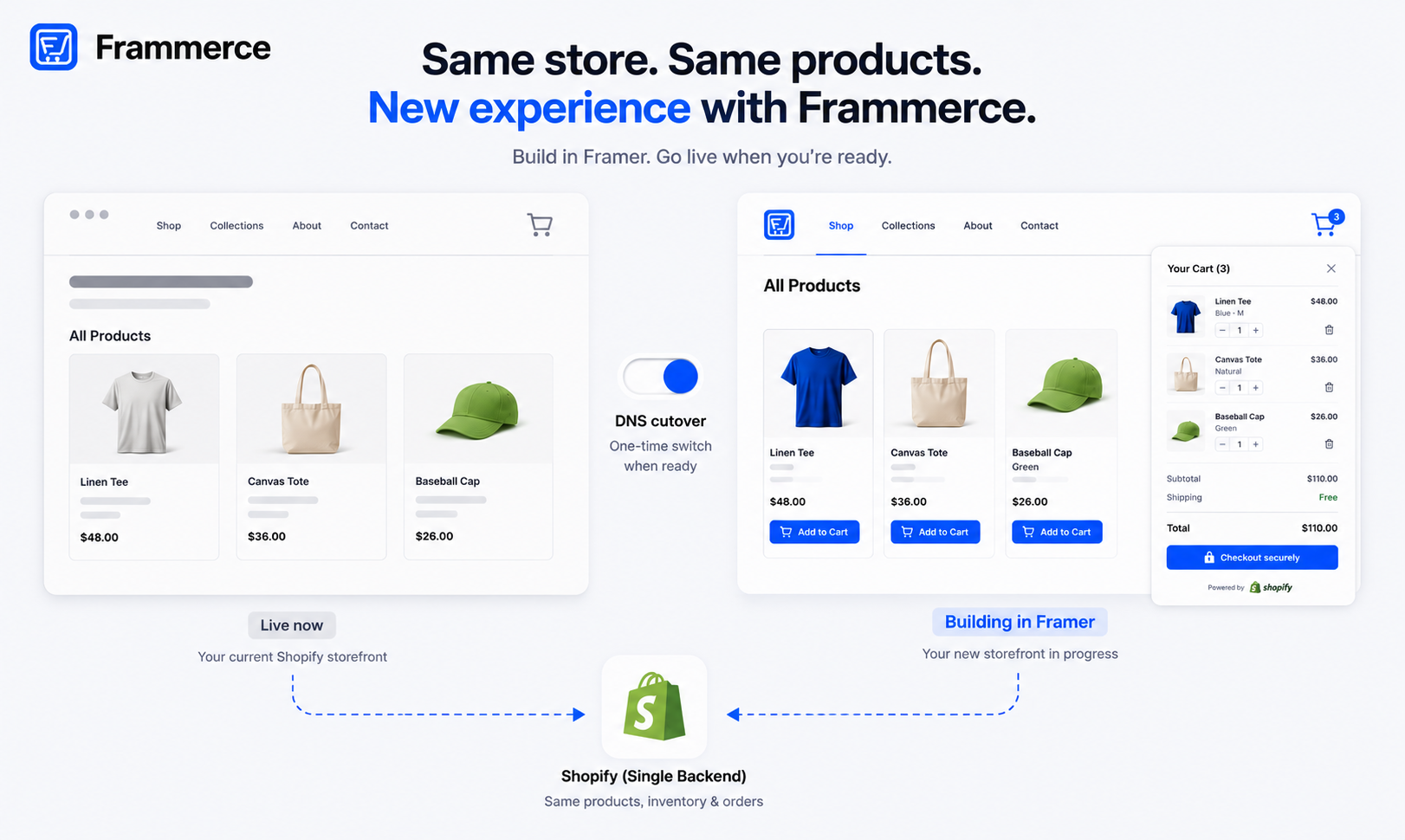
Yes, and it does not require moving your catalog anywhere. Shopify stays the system of record for products, inventory, and orders regardless of which frontend reads from it. Migrating means connecting your existing store to a Framer site through the Storefront API (via a plugin or a custom build) and designing a new storefront on top of data that already exists. Nothing about your existing orders, customers, or inventory has to change. The plugin vs. custom build decision is worth thinking through before you start.
The migration itself is closer to a frontend redesign than a platform migration. Your Shopify store keeps running exactly as it does today — processing orders, tracking inventory, handling payments — while you build and test the new Framer storefront in parallel. When it is ready, you point your domain at the new Framer site and the same Shopify backend continues serving data behind it. The main work is the field mapping between your Shopify product schema and your Framer CMS collections, and testing checkout end-to-end before you flip the switch.
Does Framer support Shopify's checkout?
It routes to it rather than replacing it. Final checkout happens on Shopify's own hosted checkout, where payment, tax, and fraud protection actually run, regardless of whether your storefront is built with a Framer plugin or a fully custom integration. Rebuilding a PCI-compliant checkout from scratch is not something most teams should take on just to keep the design consistent through the last step.
This handoff is deliberate and worth accepting, not working around. Shopify's hosted checkout has years of conversion optimisation built in, handles tax calculation across regions, manages payment gateway integrations, and carries Shopify's fraud detection. A custom checkout built from scratch to match your Framer design would need to replicate all of that, and any gap becomes a liability the moment a real transaction goes wrong. The tradeoff — your brand's design up to the cart, Shopify's infrastructure from the cart onward — is the architecture almost every serious headless store accepts.
Does "framer vs Shopify" hold up at enterprise scale?
Less so. Two separate limits start to bind as catalog size grows. On the Framer side, CMS collections are capped per plan — the current limits are on the Framer pricing page, and they have shifted as Framer updates its tiers, so check there rather than relying on a cached number. What does not change is the constraint shape: every paid Framer plan has a collection ceiling, and Enterprise is the only tier that removes it. A large multi-category retailer will hit that ceiling before they hit Shopify's. On the Shopify side, the 3-options-per-product ceiling is the more common pain point for complex catalogs: size, color, and material uses all three options, leaving no room for a fourth dimension like fit or length without splitting products or using metafield workarounds.
For a design-led brand with a curated catalog — apparel with standard size and color options, a DTC food brand, a skincare line with straightforward variants — the Framer-plus-Shopify pairing works well within these limits. For a large multi-category retailer or a brand with highly configurable products, Shopify Plus running a fully custom headless frontend usually fits better than a Framer canvas, and the engineering investment is justified by catalog complexity that a plugin-based setup was never designed to handle.
The plugin vs. custom build post covers this decision in more detail if you are sitting at that boundary and trying to figure out which side of it you are on.
How much does checkout friction actually cost you?
More than your platform choice does. Across 50 studies compiled by the Baymard Institute, the average documented cart abandonment rate sits at 70.22%, and that number does not change based on which platform built the page. The top causes — extra costs revealed too late, forced account creation, and a slow or complex checkout — are all design and configuration problems, not limitations of Framer or Shopify specifically.
The fixes map directly to decisions you make on the canvas and in Shopify settings. Show shipping costs and estimated tax before the final screen, not as a surprise on the last step. Offer guest checkout by default. Keep the cart drawer visible with a running total. Build the checkout flow to load fast on mobile first. Shopify's own research on headless commerce notes that 40% of consumers will wait no more than three seconds before abandoning a site — a number a Framer-plus-Shopify headless setup has a structural advantage at meeting compared to a heavier, plugin-laden traditional storefront. None of these fixes require a platform switch. They require getting the conversion basics right, which our guide on what makes Framer Shopify stores actually convert covers in detail.
Bottom line: framer vs Shopify is the wrong lens
Think of it as Framer and Shopify, not Framer versus Shopify. Framer designs the storefront, Shopify runs the commerce underneath it, and the two are built to be paired rather than compared as substitutes. The question worth asking is not which platform wins, but whether your catalog is standard enough to use a sync plugin (fast, cheap, no engineering needed) or complex enough to justify a custom Storefront API build. That decision is covered in full here.
Whichever way you connect them, checkout friction and page speed will decide more of your conversion rate than the platform choice itself. Get those right and the architecture becomes invisible to your customers — they just see a store that works.
If you want to connect a Shopify catalog to a Framer canvas without writing Storefront API calls by hand, Frammerce is built for exactly that, with pricing that starts free so you can test the full connection before committing to anything paid, or get in touch if you want to talk through a specific catalog first.