Key takeaways
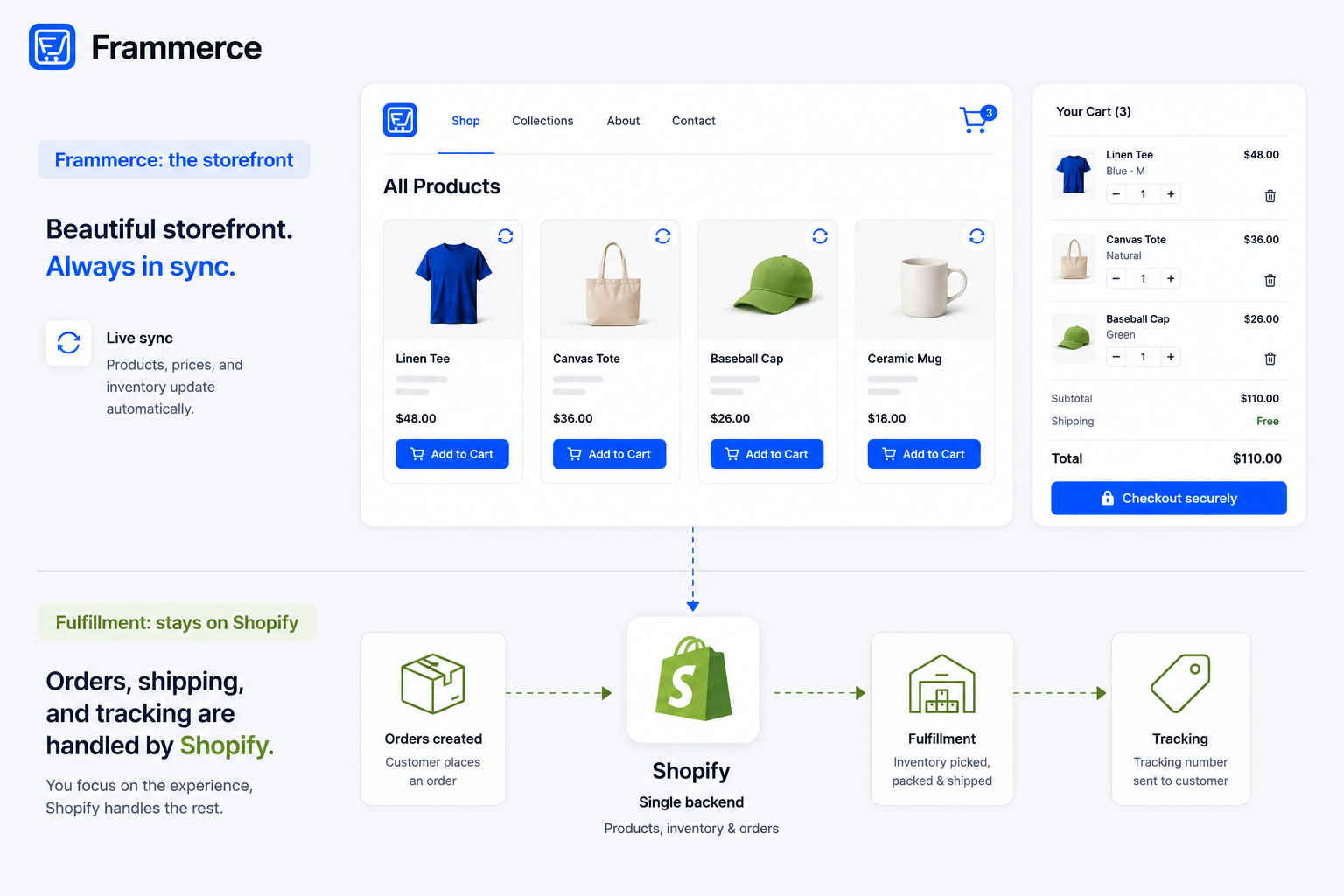
- Dropshipping stores and print-on-demand stores both run on Shopify as the catalog and order system. Frammerce syncs that catalog into Framer, the same way regardless of who fulfills the order.
- Frammerce doesn't touch fulfillment. It reads your Shopify catalog and hands checkout off to Shopify, and fulfillment apps keep doing exactly what they already do.
- Over 368,000 Shopify stores run at least one print-on-demand app, out of roughly 2.85 million active Shopify stores, a real and sizable category with no dedicated Framer guidance until now.
- Fast-changing catalogs (new POD designs, rotating dropship SKUs) are exactly the case CMS sync was built for: update the product in Shopify, it reflects in Framer without a manual rebuild.
Can dropshipping stores run on Framer and Shopify?
Yes. A dropshipping store's Shopify backend works the same way whether the front end is a standard storefront or a Framer build: products live in Shopify, a fulfillment app (or a manual process) handles sourcing and shipping, and orders flow through Shopify's checkout. For the broader mechanics of why Shopify still handles commerce logic while Framer handles the storefront, the Framer vs. Shopify FAQ breaks down that split in more detail. Frammerce sits at the front end, syncing that Shopify catalog into Framer and handling the storefront a shopper actually sees — a plugin approach that trades some custom-build flexibility for a working integration out of the box, a tradeoff covered directly in plugin vs. custom build.
Nothing about dropshipping changes what Frammerce does. It connects to your Shopify store through the Storefront API: cart and checkout involve writes, that's how an order actually gets placed, but the product catalog itself only ever gets read, never altered, regardless of whether a product ships from your own warehouse or a dropship supplier. If you're building the storefront from a blank canvas rather than migrating one, the ecommerce guide covers the full build, or start with how to start a Framer online store if you're setting up from zero rather than adding dropshipping onto a store that already exists. If instead you already run a dropshipping or POD store on another platform and want to bring it over, migrating a Shopify store to Framer covers that path directly.
What about print-on-demand stores, does the same setup apply?
Yes, and the category is large enough to be worth naming directly. Over 368,000 Shopify stores currently run at least one print-on-demand app, out of roughly 2.85 million active Shopify stores. That's a meaningful share of Shopify's overall merchant base, and it's a use case none of the existing coverage of Framer and Shopify addresses directly.
Print-on-demand products sync into Frammerce exactly like any other Shopify product: variant options (size, color, print placement), pricing, images, and stock status all come through the same catalog feed. The Variant Picker component handles a POD product's typical option set the same way it handles any other variant structure. For non-product forms — custom order requests, size-guide inquiries, wholesale signups — ecommerce forms for Framer covers the components that sit alongside it.
What Frammerce actually syncs (and what it doesn't: fulfillment)
This distinction matters enough to be explicit about. Frammerce syncs your Shopify catalog, cart, and checkout hand-off. It does not touch fulfillment, shipping, supplier integration, or order routing in any way. Those stay entirely inside whatever fulfillment app or process your Shopify store already uses.
Practically, that means a dropshipping or print-on-demand store's fulfillment setup doesn't change at all when the front end moves to Framer. Whatever app pushes orders to your supplier keeps doing exactly that, reading from the same Shopify order data it always has, regardless of which storefront generated the order.
This is worth stating clearly because it's an easy thing to assume otherwise. Nothing about connecting Shopify to Frammerce requires reconfiguring a fulfillment app, re-authorizing a supplier connection, or changing how tracking numbers get pushed back to customers. The storefront and the fulfillment pipeline are separate systems that happen to share the same Shopify backend, and moving the front end to Framer only touches the front end.
How do dropshipping stores handle constantly changing catalogs?
Through the same CMS sync every Frammerce-connected store uses, which is precisely the scenario it's built for. Dropshipping and print-on-demand catalogs tend to churn faster than a typical retail catalog: new supplier products get added, out-of-stock items get pulled, seasonal designs rotate in and out.
Because Frammerce reads live from Shopify rather than duplicating a static copy of your catalog, a product change in Shopify (a new item, an updated price, a sold-out variant) reflects in the Framer storefront without a manual rebuild or a redeploy. Add a product in Shopify, and it's live in the synced collection. Discontinue one, and the Stock Status and Add to Cart components reflect that automatically.
This matters more for dropshipping and POD stores than for a typical retail catalog, since supplier-side stock and pricing can shift without any action on your end. A dropship supplier pulling a SKU, or a POD provider adjusting a base cost, shows up in your Shopify product data the moment your fulfillment app updates it, and the Framer storefront reflects that on the next page load rather than lagging behind a stale static build.
How do you set up a Framer dropshipping store?
- 1Set up your Shopify store and fulfillment app first
Exactly as you would for any dropshipping or print-on-demand storefront. This is a Shopify-side decision entirely independent of Frammerce.
- 2Connect Shopify to Frammerce
Using the standard connection flow in the setup guide. The connection doesn't distinguish between fulfillment models.
- 3Sync your catalog into Framer's CMS
Then build product and category pages with Frammerce's components: Product Gallery, Product Price, Variant Picker, and Add to Cart for product pages, the cart components for checkout. Starting from a Framer ecommerce template rather than a blank canvas is a reasonable shortcut here if your store's layout doesn't need to be fully custom.
- 4Test variant-heavy products specifically
Print-on-demand items often carry more variant combinations (size by color by placement) than a typical retail SKU, so this is worth a dedicated check before launch.
- 5Publish and confirm the order actually reaches your fulfillment app
Since Frammerce hands checkout off to Shopify's own hosted checkout, orders flow into Shopify exactly as they would from any other storefront, and your fulfillment app should pick them up without any special configuration.
None of these steps differ from setting up any other Framer Shopify store. The only dropshipping-specific step is testing variant combinations before launch, since POD and dropship catalogs tend to carry more of them than a typical retail SKU.
Which Frammerce tier fits a dropshipping or POD catalog?
Depends mostly on catalog structure, not fulfillment model:
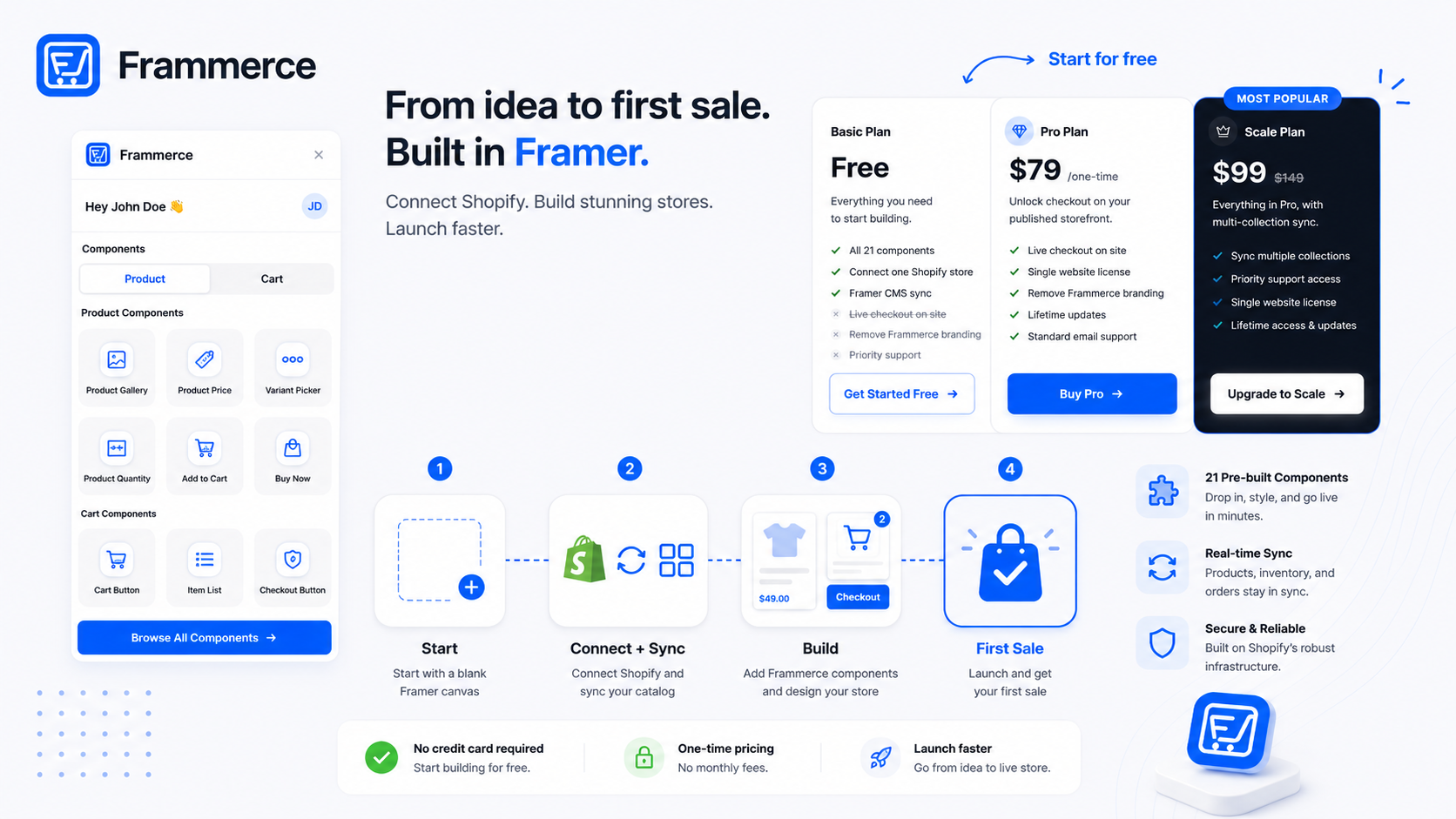
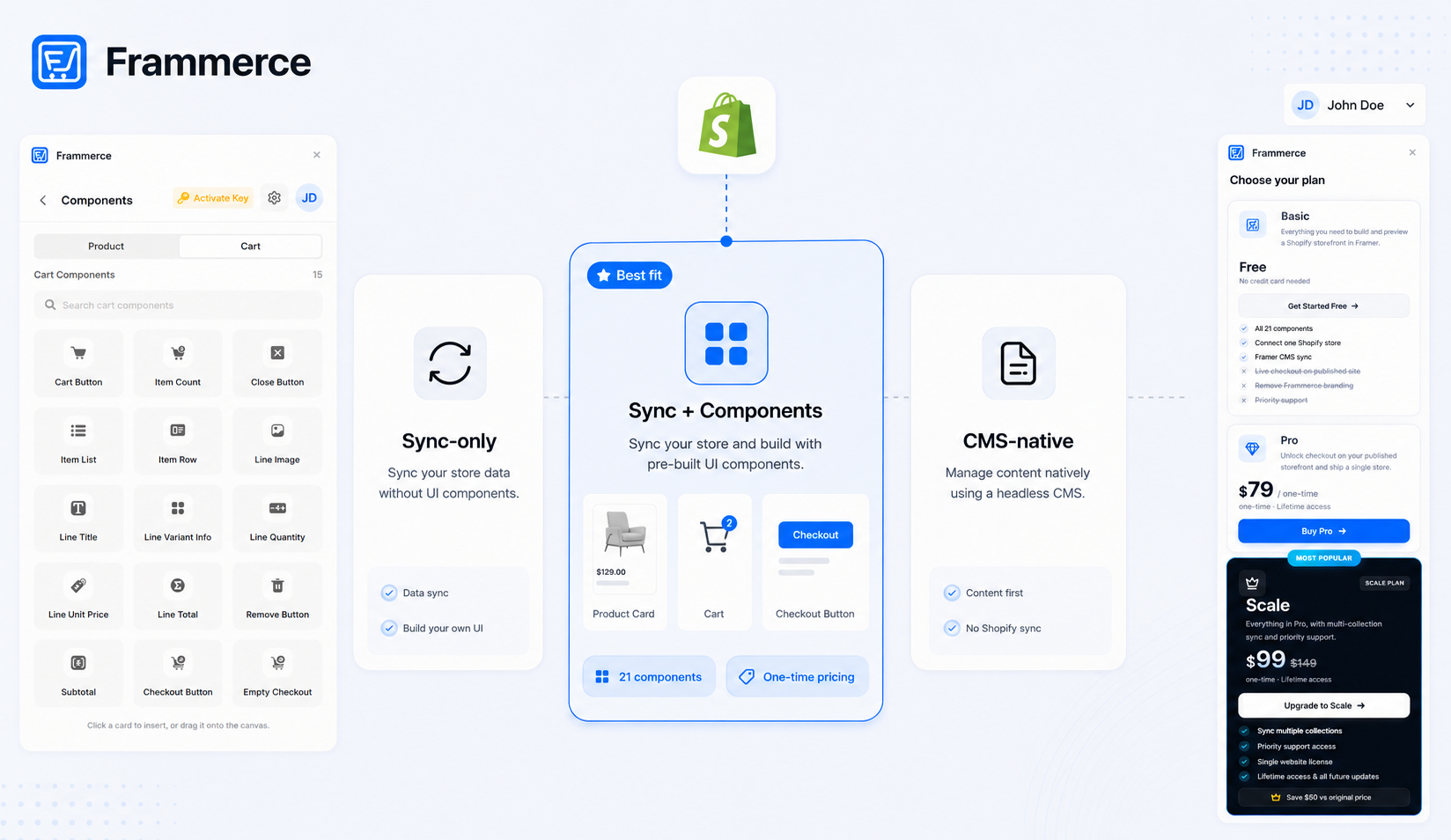
- Basic (free): all 21 components, one Shopify connection, CMS sync. No live checkout, useful for building and previewing before launch.
- Pro ($79 one-time): everything in Basic, plus live checkout, branding removed, and a single website license.
- Scale ($99 one-time, down from $149): everything in Pro, plus multi-collection sync and priority support. Worth it if your dropshipping or POD catalog spans multiple distinct collections (apparel and home goods, for instance), not because of fulfillment volume.
Full details on the pricing page and the component docs. Nothing about running a dropshipping or POD model pushes you toward a specific tier beyond your catalog's actual structure. If the question is Frammerce versus other Shopify-to-Framer plugin options rather than which tier of Frammerce to pick, framer ecommerce plugin comparison lines up the broader field.
What do dropshipping stores get wrong when they switch to Framer?
The most common mistake is assuming fulfillment logic needs to be rebuilt alongside the storefront. It doesn't. Frammerce is a front-end layer, and conflating it with a fulfillment migration adds unnecessary scope to what should be a straightforward storefront rebuild.
The second common mistake is under-testing variant combinations before launch, especially for print-on-demand products with several independent option sets. A product with size, color, and placement variants has more combinations to check than a single-variant retail item, and that's worth a dedicated pass through the Variant Picker before going live, not an assumption that it'll work the same as a simpler product.
A third, smaller mistake: forgetting to check how out-of-stock or discontinued supplier SKUs display once synced. A dropshipping catalog that churns often will surface sold-out states more frequently than a stable retail catalog, so it's worth confirming the Stock Status component's out-of-stock treatment looks intentional rather than broken before a real customer runs into it.
Does Frammerce integrate with specific dropshipping or print-on-demand apps?
Frammerce doesn't integrate with fulfillment apps directly, and doesn't need to. It reads your Shopify catalog and cart, which is the same layer regardless of which fulfillment app is connected on the Shopify side.
Will product variants from print-on-demand apps sync correctly?
Yes. Variant data (size, color, and other options a POD app defines) lives in Shopify's product structure, and Frammerce's Variant Picker component reads it the same way it reads any other product's variants.
Can I run a dropshipping store on the free Basic tier?
You can build and preview the full storefront on Basic, but live checkout requires Pro. That makes Basic a reasonable way to build and test a dropshipping storefront before committing to a paid tier.
Does a high SKU count from a POD catalog slow down the storefront?
Catalog size affects page load the same way it would on any platform: more products per page means more data to render. Structuring collections and pagination sensibly, the same advice that applies to any large catalog, keeps this manageable regardless of fulfillment model.
Bottom line
Dropshipping and print-on-demand stores run on Framer exactly like any other Shopify catalog: Frammerce syncs products, handles cart state, and hands off to Shopify's checkout, while fulfillment stays entirely on the Shopify side, untouched. The only real difference from a standard retail catalog is how often the catalog changes, and CMS sync handles that without extra work.
Checkout friction matters just as much here as anywhere else. Across 50 studies on cart abandonment, the average sits at 70.22%, and a fast-changing catalog is no excuse to skip testing the cart and checkout flow before launch. For a sense of what that looks like on a finished storefront, framer shopify store examples has real ones to reference.
Build your dropshipping or print-on-demand storefront on Frammerce starting with the free tier, check the pricing page once you're ready for checkout, or get in touch if your catalog has an unusual variant structure worth asking about first.