Key takeaways
- If you are building a Shopify storefront in Framer, you are running a headless store. You just might not have called it that.
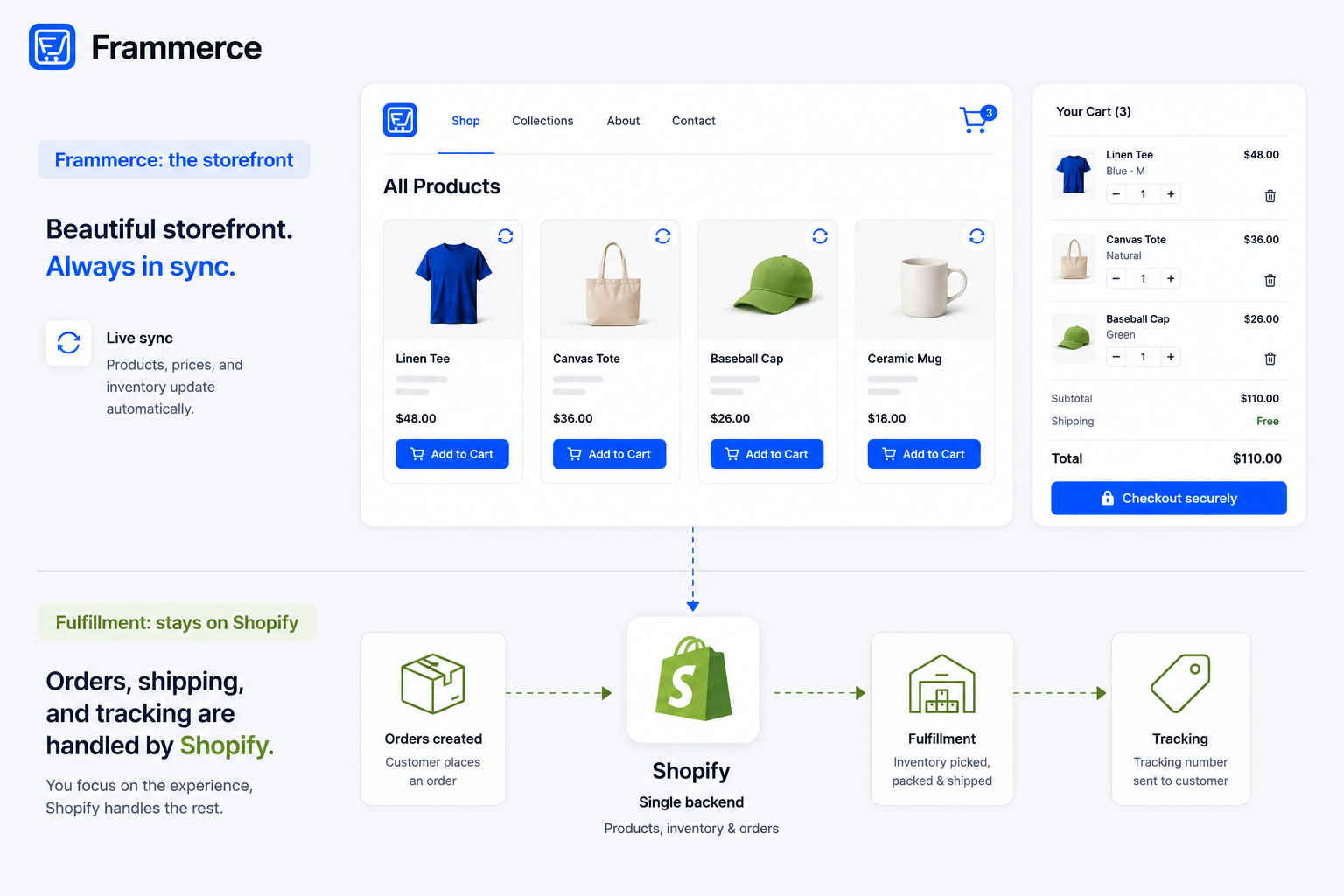
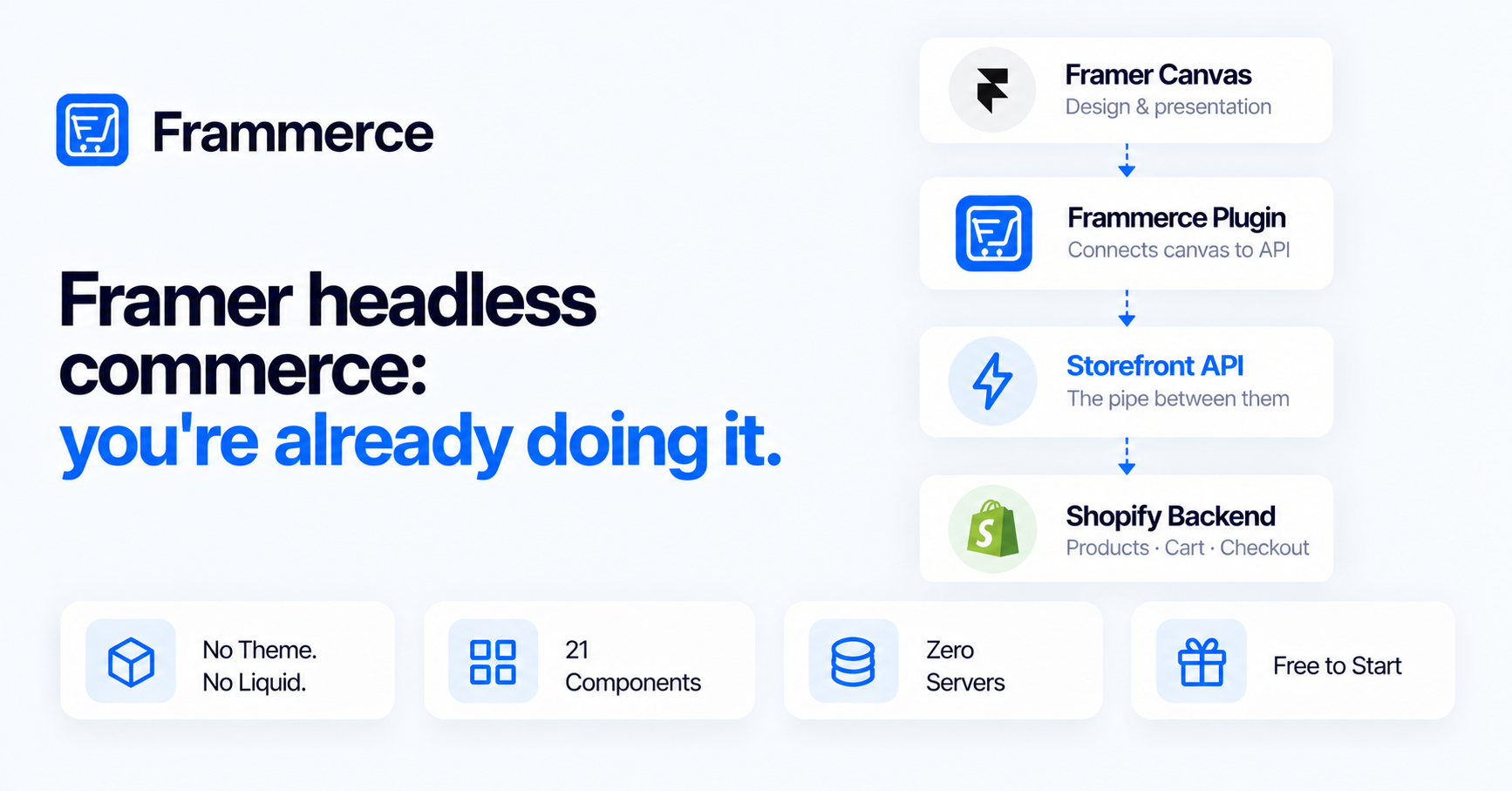
- Headless commerce means the frontend — what a visitor sees and interacts with — is separated from the backend, where products, inventory, payments, and orders live. Framer is the frontend. Shopify is the backend.
- The connection between them is Shopify's Storefront API, a GraphQL endpoint built specifically for external frontends that need to read catalog data and handle carts without running inside Shopify's own storefront layer.
- The plugin path makes headless accessible without writing API calls. A designer can build the full architecture — catalog sync, cart state, checkout handoff — without writing a line of backend code.
- Headless is not always the right call. Multi-vendor catalogs, complex ERP integrations, and large enterprise setups are often better served by Shopify's native storefront or a fully custom build.
- Checkout in a headless Framer setup still routes to Shopify's hosted checkout. PCI compliance, fraud protection, and payments stay with Shopify regardless of what the frontend looks like.
What is headless commerce, in plain language?
A traditional ecommerce site is coupled: the storefront design and the commerce backend live inside the same system. Shopify's standard storefront, for example, handles product display, cart, checkout, and order management all through one layer. The design tools you get are the ones Shopify gives you.
Headless commerce decouples those two things. The frontend — the pages a visitor actually sees — is built on a separate system. The backend — products, variants, inventory, tax, payments, orders — lives elsewhere. The two talk to each other through an API.
The word "headless" just describes the fact that the commerce backend has no built-in head, no fixed presentation layer attached to it. The frontend can be anything that speaks to the API: a React app, a mobile app, or in this case, a Framer site. The backend handles the parts that need to be reliable. The frontend handles the parts that need to look designed.
How is a Framer site already a headless frontend?
Framer's canvas is a presentation layer. It handles design, layout, animation, and CMS content. It has no native cart, no inventory system, and no checkout. When you connect it to Shopify, your Framer site becomes the frontend of a headless setup by definition: the design lives in Framer, the commerce logic lives in Shopify, and the two are connected through Shopify's Storefront API.
The Frammerce homepage describes the outcome directly: "From a fresh Framer project to a live Shopify-backed storefront — no theme, no Liquid, no servers to run." That phrasing is a description of headless architecture, not a marketing claim. No theme means no Shopify storefront layer. No Liquid means no Shopify templating language. No servers means no backend running on your side. Your Framer canvas is the head. Shopify is the body.
If you have already built a Framer site and connected it to Shopify, you are running this architecture whether you called it headless or not. The term did not come with the territory, but the structure did. For a fuller explanation of how Framer and Shopify's responsibilities divide across this setup, the Framer vs Shopify FAQ covers the non-headless framing of the same split.
What does Shopify provide in a headless setup?
The commerce backend: product catalog, variants, inventory, pricing, tax calculation by region, payment processing, order management, and fraud detection. Shopify's Storefront API is the mechanism it exposes for external frontends. It is a GraphQL endpoint built specifically for this pattern: an outside system reads products and collections, creates carts, and initiates checkout, all without going through Shopify's own storefront.
Shopify's own headless commerce guide frames the value this way: custom frontends built on a headless architecture can respond faster than traditional storefront setups, since there are fewer layers between a visitor's request and a rendered page. The tradeoff is that someone has to build and maintain the frontend. In the Framer case, that someone is a designer working on the canvas, which is exactly the audience the tool is built for.
What does Frammerce do in a headless Framer store?
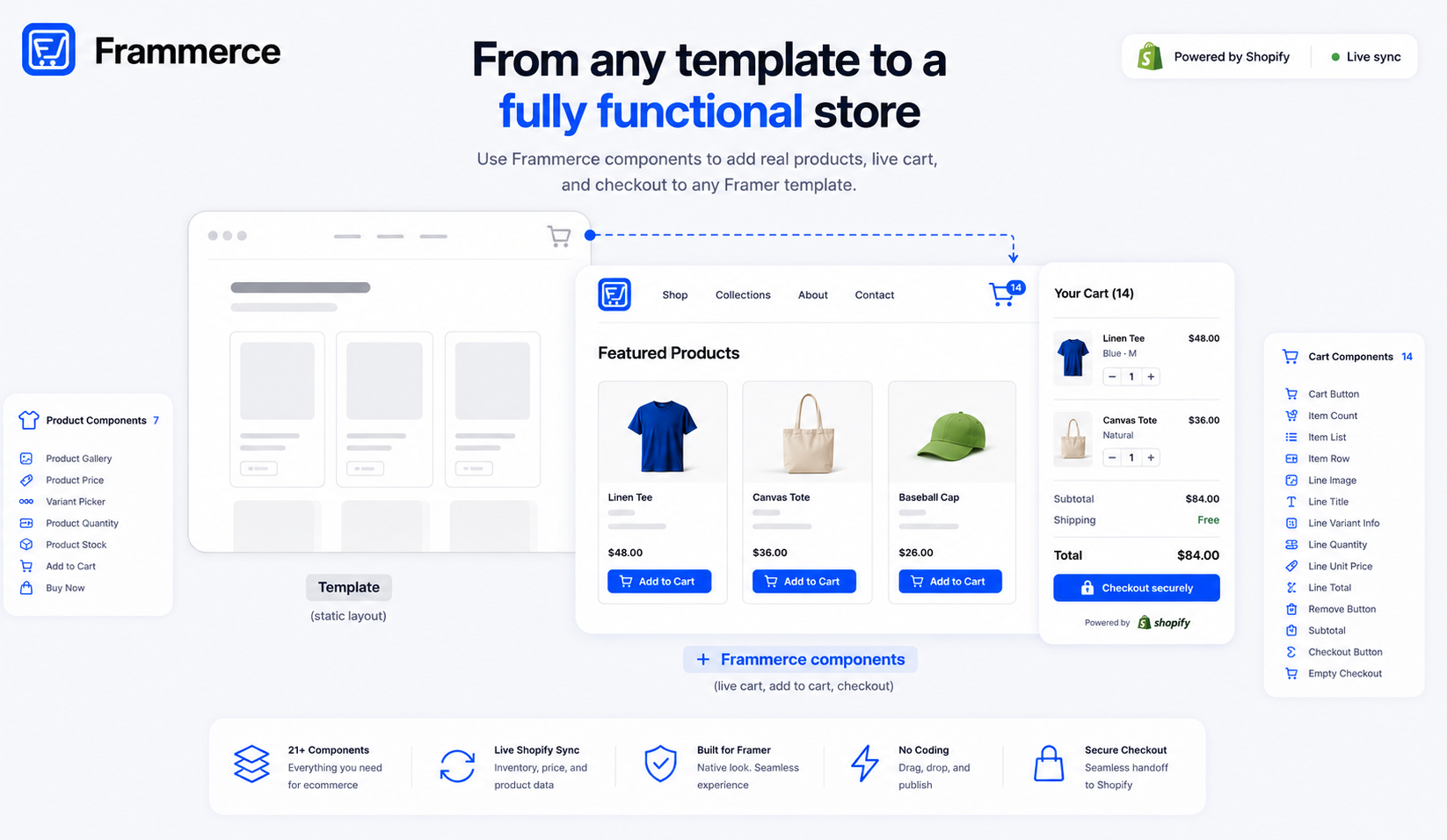
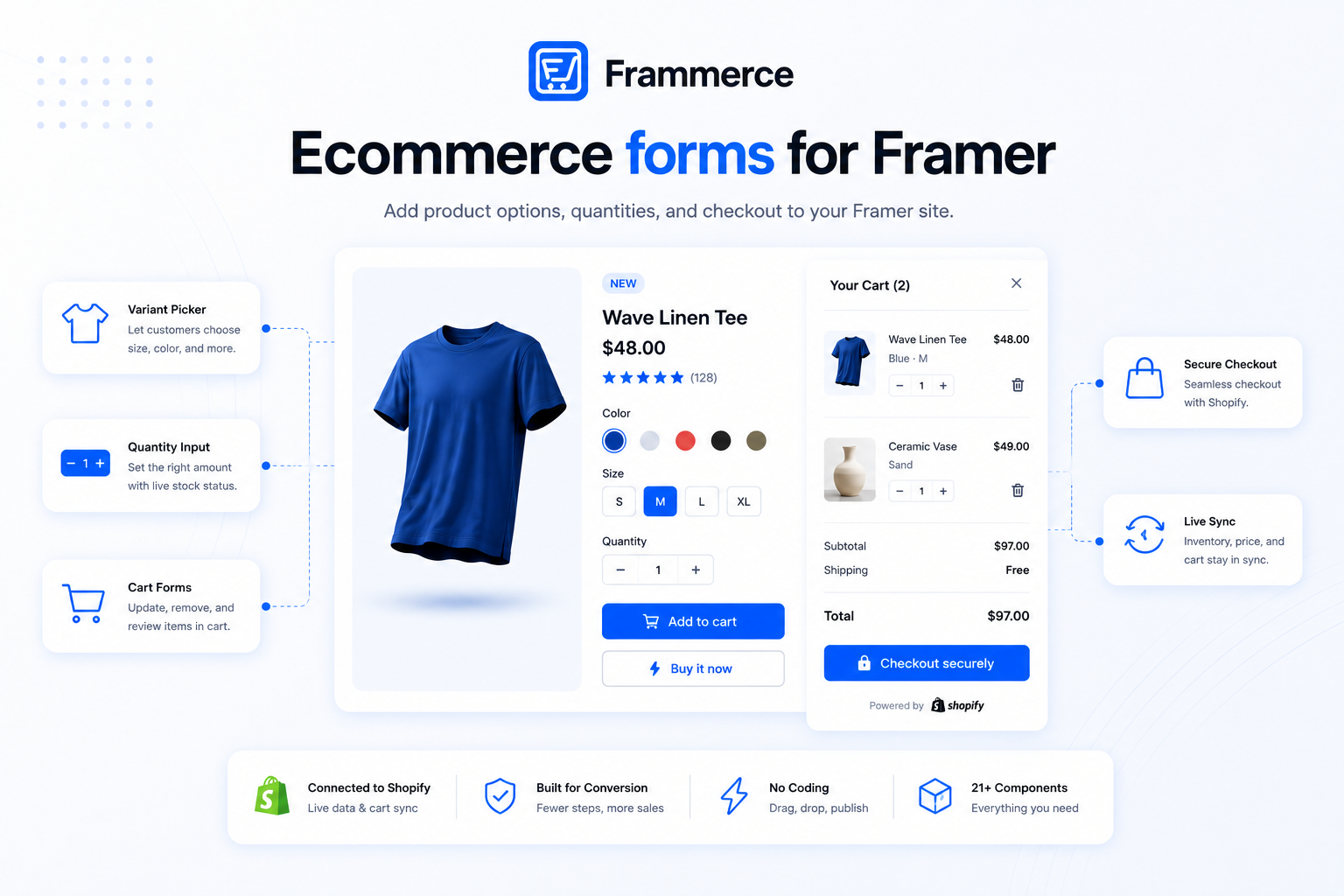
It is the bridge. Frammerce connects your Framer project to Shopify's Storefront API so you do not write GraphQL calls by hand. It syncs your Shopify catalog into Framer's CMS, ships 21 pre-built commerce components you drop onto the canvas, and handles cart state across pages automatically.
The Frammerce features section describes the architecture of the connection precisely: "Frammerce talks directly to Shopify's Storefront API at runtime. No Liquid theme to maintain, no Shopify hosting, no two codebases to keep in sync. Checkout still hands off to Shopify so payments stay secure."
- Zero servers — your Framer site talks to Shopify directly.
- Read-only Storefront API — scoped to the data your storefront actually needs.
- Secure checkout — handed off to Shopify's hosted checkout.
That is the headless architecture working as described. Framer renders the page. The Storefront API supplies the product and cart data. Shopify runs the checkout. Frammerce is the plugin layer that wires those three parts together inside the Framer canvas without requiring the designer to manage any of the underlying API logic.
Is headless commerce in Framer harder to build than a standard Shopify store?
It depends on which path you take. The plugin path — installing Frammerce, connecting a Shopify store, and dropping in components — is comparable in effort to building any other Framer site. Connect your store, sync the catalog, place components on the canvas, publish. The setup guide walks through the full sequence. For a standard catalog, that runs 15 to 30 minutes, not a multi-week engineering project.
The custom headless path is genuinely harder. Writing the Storefront API integration by hand means building the GraphQL query layer yourself, managing cart state across pages, and handling every edge case in the checkout handoff. One independent breakdown of Framer ecommerce builds puts the timeline at two to eight weeks for a scoped project, with engineering costs commonly in the thousands. The full comparison between plugin and custom build is in the plugin vs custom build post.
The comparison that matters most is this: a plugin-based headless build on Framer takes roughly the same time as shipping any other Framer site. A custom headless build takes the time of a software project. Both produce the same architecture. The plugin just removes the engineering work.
Who is a headless Framer storefront the right fit for?
Framer designers and freelancers who want full design control without the constraints of a standard storefront template. Small agencies building client commerce sites on Framer. DTC brands whose storefront lives on Framer already and wants to add commerce without rebuilding on a different platform. Any team where the designer is the one building the store, not a developer.
The architecture is also well-suited to existing Framer sites that want to add commerce to pages that are already live. Product grids, inline buy buttons, and cart drawers drop into existing Framer pages without a ground-up rebuild. If the site already exists in Framer, connecting Shopify and adding commerce components is closer to adding a new page than switching platforms. For what a finished headless Framer storefront looks like and what actually drives conversion on one, the store examples post is worth reading before you design the first product page.
Who should stick with Shopify's native storefront?
Multi-vendor marketplaces, large enterprise catalogs with complex ERP integrations, and operations that need Shopify's own storefront apps deeply embedded in the checkout flow. These cases either need logic a plugin's component set cannot express, or they depend on Shopify-side functionality that does not translate cleanly to an external frontend.
Shopify's native storefront is also a reasonable choice when the design constraints do not bother you. If a standard storefront template covers what the business needs and the team does not have a Framer designer already in the workflow, a headless setup adds complexity without adding anything the simpler path did not already offer. Headless is worth the tradeoff when design freedom is actually a priority, not as a default architectural choice. The broader architecture decision is in the ecommerce website guide if you're working through which approach fits your catalog.
Does headless mean you lose Shopify's checkout?
No. Checkout in a headless Framer setup still routes to Shopify's hosted checkout. The Framer storefront handles everything up to the checkout button: product display, variant selection, cart management, and running totals. When a shopper taps checkout, the session hands off to Shopify's own checkout flow. That is where payment processing, PCI compliance, fraud detection, and tax calculation actually run.
The Frammerce features section states this directly: "Secure checkout. Handed off to Shopify's hosted checkout." The handoff is intentional. PCI-compliant checkout is not something most teams should rebuild from scratch just to keep a shopper on the same domain for an extra step.
This is one of the practical advantages of the headless pattern over a fully custom checkout build: you keep Shopify's security infrastructure without giving up design control over the storefront that precedes it.
Is headless commerce better for SEO?
Neither headless nor traditional Shopify wins outright on SEO. Both can produce well-ranked pages. What actually determines SEO outcomes is content depth, page speed, clean URL structure, and basic technical setup — not the architecture label.
Framer's canvas gives you granular control over page structure: metadata, heading hierarchy, canonical URLs, and page weights are all in your hands rather than constrained by a template. Shopify's native storefront handles commerce-specific SEO basics automatically — product schema markup and canonical tags on variant URLs — without any setup. A headless Framer setup gets you the first kind of control but requires you to be more deliberate about the second.
Page speed is one area where the headless pattern has a structural advantage. Fewer layers between a visitor's request and a rendered page means fewer things to load. Framer's hosting infrastructure, built on a global CDN with pre-rendered pages and automatic image optimisation, handles the performance baseline. A standard Shopify storefront with heavy apps running in the page carries more overhead.
How long does it take to ship a headless Framer store?
Via the plugin path: days to about two weeks for a standard catalog. That is the timeline for connecting a Shopify store, syncing the catalog into Framer's CMS, building product and category pages with the 21 available components, and testing checkout end to end before publishing. Larger catalogs or stores with multiple distinct collection structures take longer to design, not longer to connect.
Via a custom Storefront API build: two to eight weeks minimum for a well-scoped project, per independent estimates of what the custom path actually requires. Complex requirements, non-standard checkout logic, or a catalog with unusual variant structures push that timeline further.
The architecture is identical. The time difference is entirely in who writes the API and component layer.
Bottom line: framer headless commerce, what it actually means
If you are using Framer as your storefront and Shopify as your commerce backend, you are already running headless commerce. The label is new but the structure is not. Framer is the frontend. Shopify's Storefront API is the pipe. Shopify's checkout is where payments close.
Frammerce is the plugin that implements this architecture without requiring you to write any of the API logic yourself, starting free with all 21 components included. Check the pricing page for what each tier unlocks, or get in touch if you want to talk through how this architecture fits your specific catalog before you build.