Key takeaways
- A Framer Shopify store has three cost layers: your Framer plan, your Shopify plan, and the plugin. The plugin model — one-time vs recurring — is the only one you can control.
- Recurring plugin charges compound indefinitely. A $29/month plugin costs $348 in year one, $696 after two years, stacked on top of two other subscriptions you are already paying.
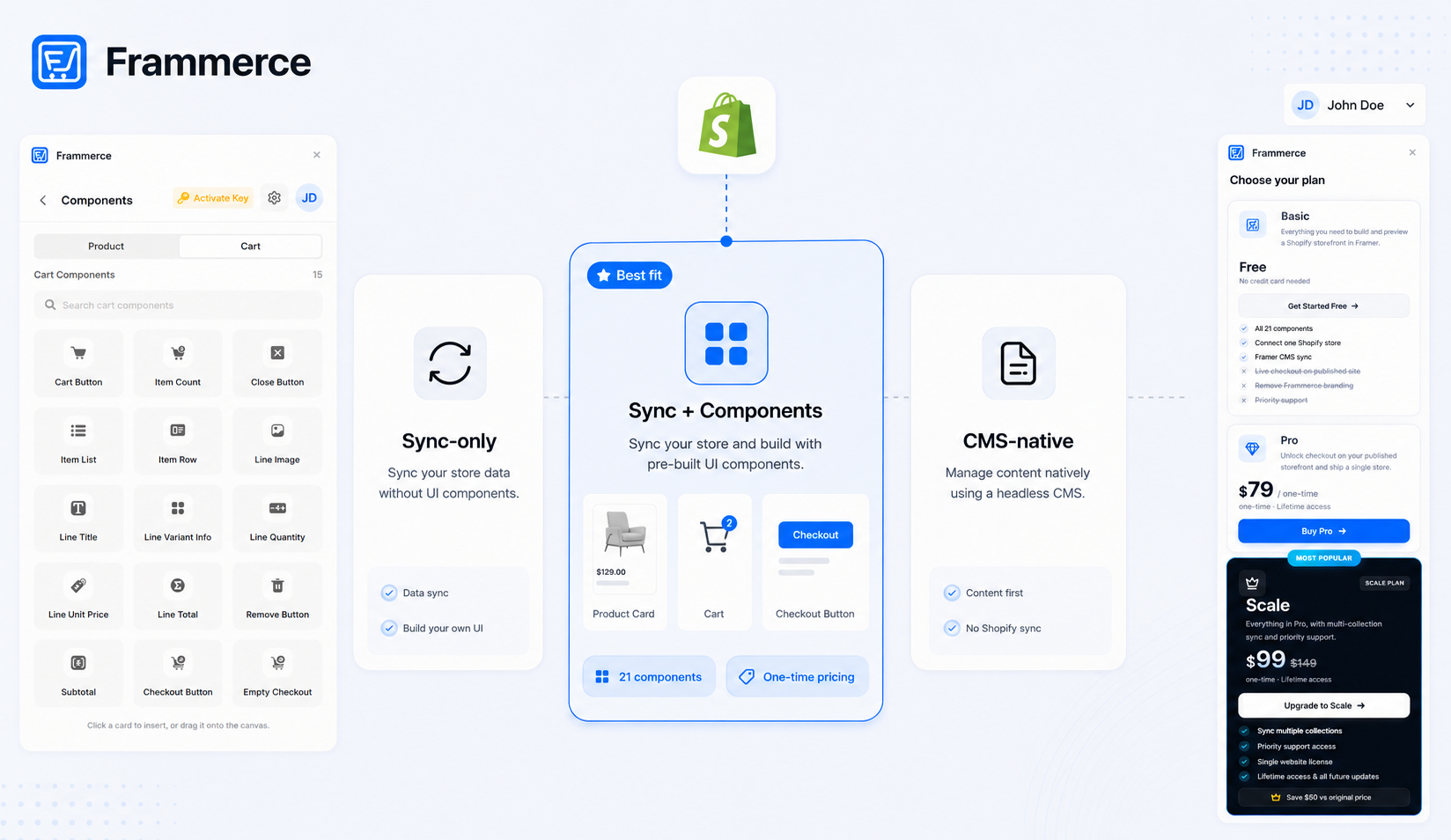
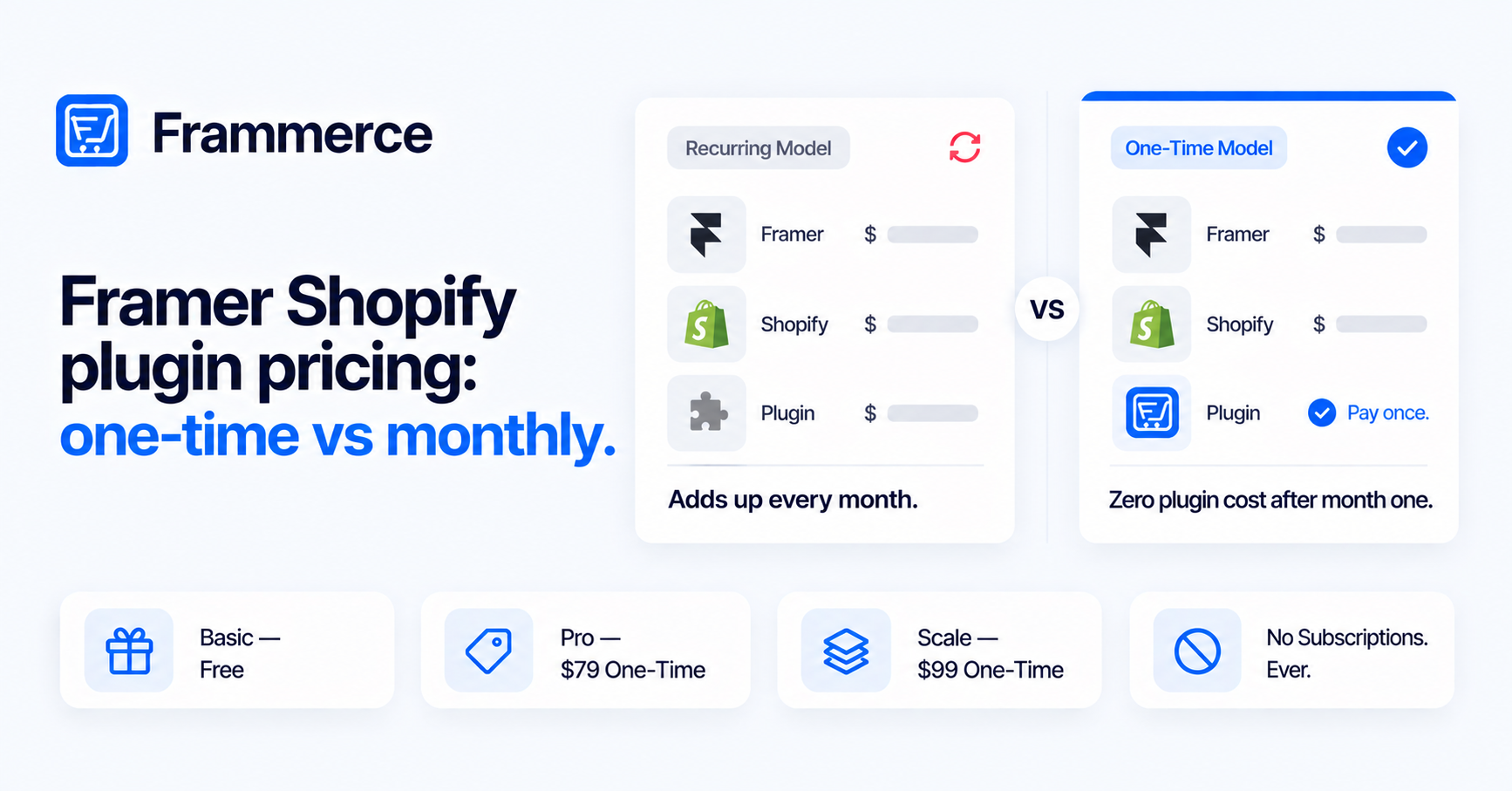
- Frammerce uses one-time pricing: Basic is free, Pro is a one-time $79, Scale is a one-time $99 (down from $149). No recurring charges from Frammerce itself, ever.
- The free Basic tier is genuinely usable: all 21 components, one Shopify connection, and CMS sync. Live checkout on a published site requires Pro.
- Scale adds multi-collection sync and priority support. The only reason to start there over Pro is a catalog that spans multiple distinct collections from day one.
- Plugin pricing does not change what you can build. But it does change what you pay every year for as long as the store is live.
What does a Framer Shopify plugin actually cost?
The sticker price on a plugin listing is rarely the whole number. A Framer Shopify store has three separate cost layers running at once. Framer charges for hosting and the CMS — Basic is $10/month, Pro is $30/month, on annual billing, per Framer's pricing page. Shopify charges for its commerce backend, and pricing varies by region and plan, so check Shopify's pricing page directly rather than relying on a number that may have changed. The plugin sits on top of both.
The plugin is the only part of that stack where you make a meaningful model choice: pay once, or keep paying every month indefinitely. Every other cost is set by platforms you are already committed to. The plugin is where the math actually differs by decision.
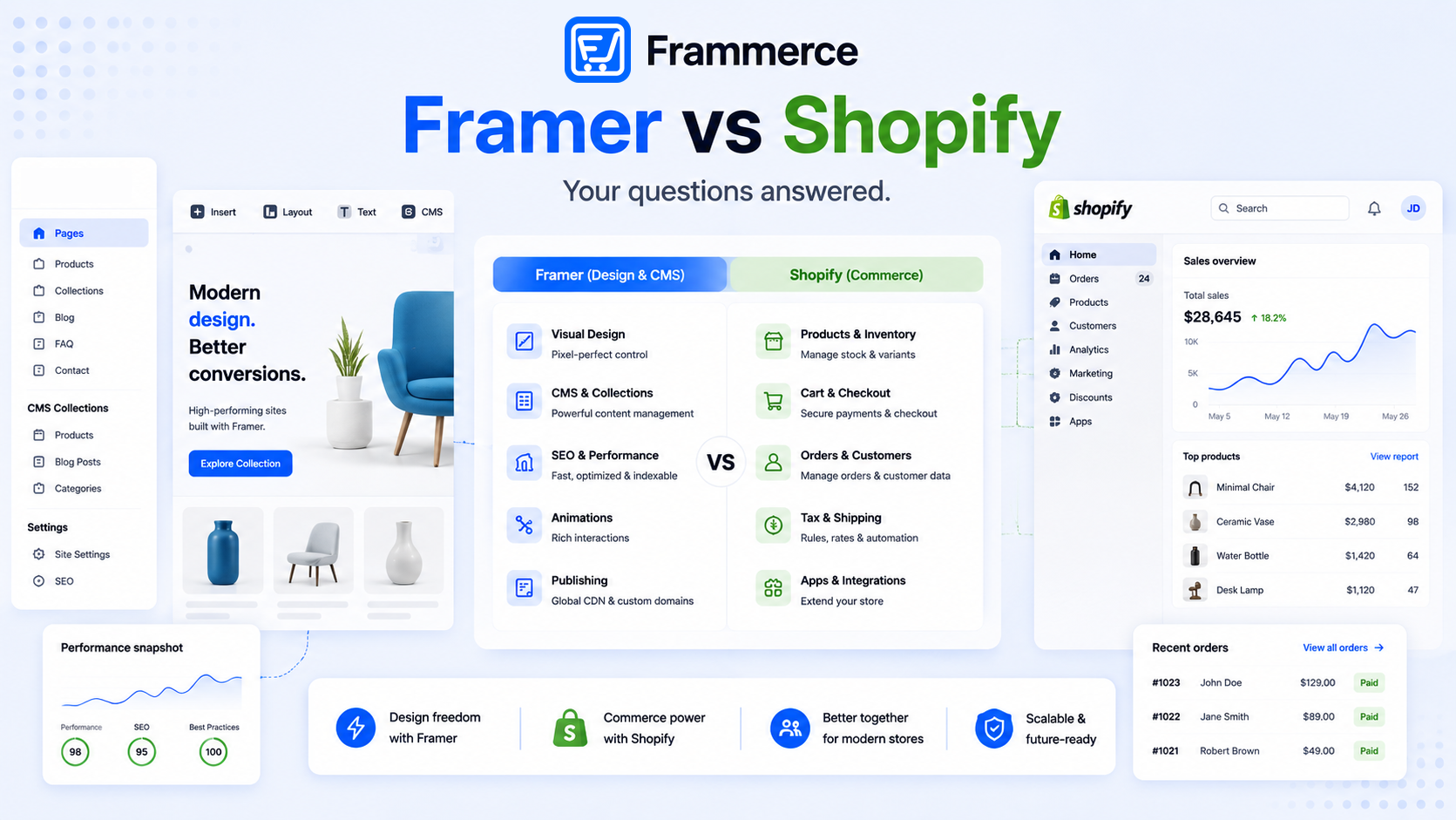
This post does not rehash which plugin type — sync-only vs component library — is the right fit. That comparison is in the Framer ecommerce plugin comparison. And it does not revisit the plugin-vs-custom-build cost question, which is in the plugin vs custom build breakdown. This post is specifically about the pricing model choice and what it costs you over time.
What is the difference between one-time and recurring plugin pricing?
A recurring plugin charges a fixed amount every month (or year) for as long as you use it. The charge never stops. It sits alongside your Framer plan and your Shopify plan as a third subscription, and it compounds whether or not anything about the plugin has changed since you installed it.
A one-time plugin charges a fixed amount once. After that, the cost is zero. No monthly bill, no annual renewal, no charge when you add a new product or publish a new page.
The difference is not just mathematical. It changes how you budget a client project, how you think about long-tail store maintenance, and how much a store costs to keep alive in a slow revenue month. A recurring plugin on a quiet store is a cost that runs regardless of how much the store earns. A one-time plugin is a sunk cost by month two.
What does a year of recurring plugin pricing actually add up to?
Take Shopify Link as a concrete example. The plugin itself is free. Its companion Shopify app, required for the plugin to work, costs $29/month or $290/year, billed through Shopify. At $29/month, that is $348 in year one. Add a Framer Basic plan at $10/month ($120/year) and the plugin's ongoing cost is nearly three times the Framer plan itself. After two years, the companion app alone has cost $696. After three years, $1,044.
Other plugins in the space use subscription tiers. One recurring model in the Framer Marketplace runs plans from $12/month up to $40/month on annual billing. At $40/month, that is $480/year just for the plugin. Add Framer Basic and you are at $600/year in platform and plugin costs before Shopify's own fees enter the calculation.
The math is not unique to any single product. It is just what compounding does to a recurring charge on a two- or three-year timeline. A store that is live for three years under a $29/month plugin model has paid over $1,000 to a plugin alone, money that could have been spent on a one-time license in month one.
How does Frammerce's one-time pricing compare over a year?
Frammerce's pricing is one-time at every paid tier. The page headline says it plainly: "One-time pricing. No subscriptions."
- Basic — Free. All 21 components, one Shopify store connection, CMS sync, build and preview on canvas. Live checkout on a published site is not included.
- Pro — $79 one-time. Everything in Basic, plus live checkout on the published site, Frammerce branding removed, single website license, and lifetime updates.
- Scale — $99 one-time (down from $149). Everything in Pro, plus multi-collection sync and priority support.
In year one, a Frammerce Pro setup costs $79 for the plugin, $120 for Framer Basic ($10/month × 12), and whatever Shopify charges for your plan. The Frammerce line item never appears on your bill again. In year two, it is still $79 total for Frammerce, because nothing was charged in year two.
Over three years, Frammerce Pro costs $79 total. A recurring $29/month companion app costs $1,044 over the same period. Both connect a Shopify catalog to a Framer site. One costs $965 more to do it.
Frameship is one other one-time option in this space, with a Launch tier at $119 and a Scale tier at $279 per their published pricing. Neither product charges recurring fees. The difference between one-time options comes down to component coverage, sync depth, and what each tier unlocks — covered in the plugin comparison post rather than here.
Is the free tier on Frammerce actually usable, or is it locked down?
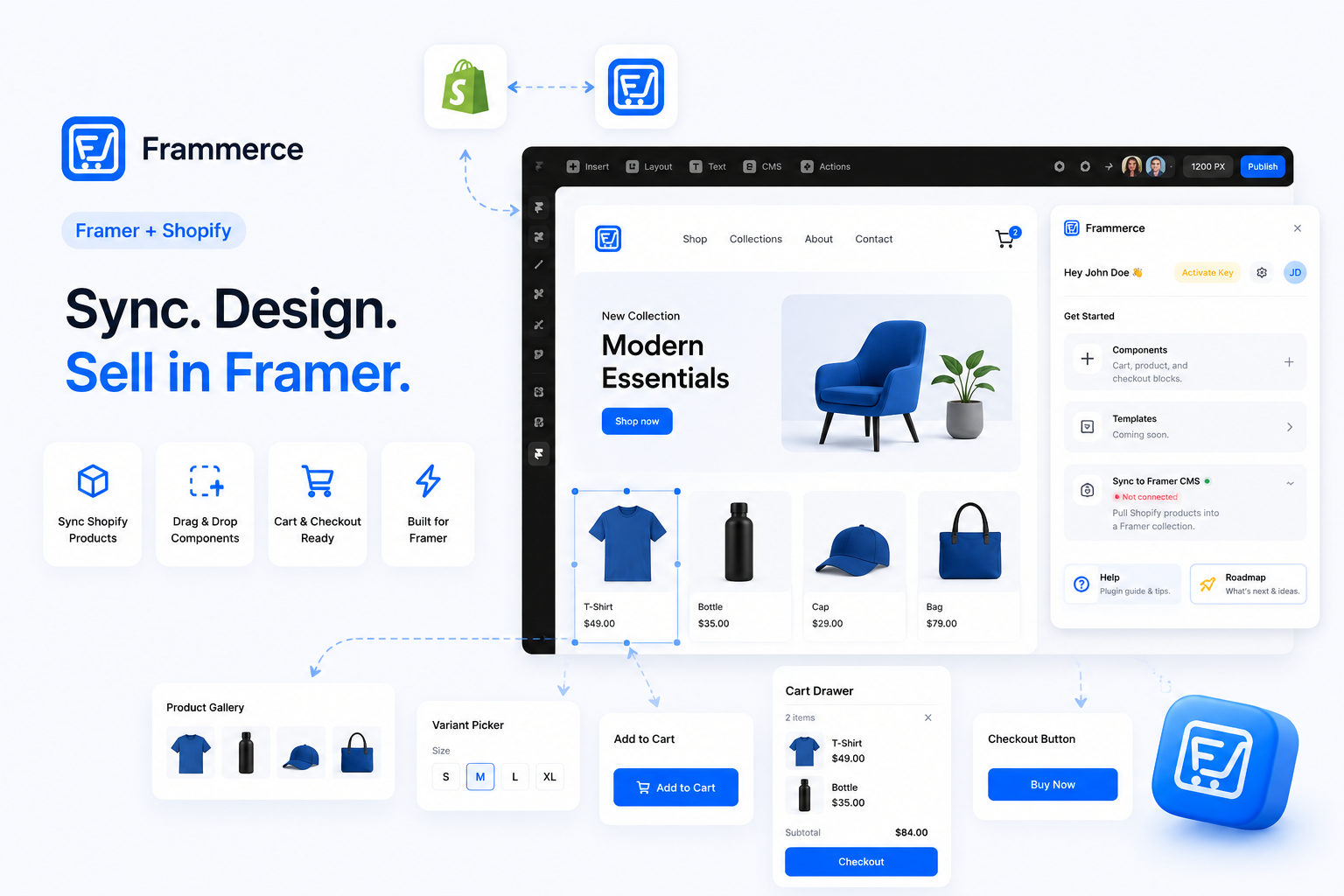
It is genuinely usable. Basic includes all 21 components — product gallery, variant picker, quantity input, add to cart, buy now, cart drawer, checkout button, and the full set of cart line components — plus one Shopify store connection and CMS sync. None of the product or cart components are gated behind a paid tier. You can build the complete storefront, sync your live catalog, and preview real cart behavior on the canvas without paying anything.
What Basic does not include is live checkout on a published site. You can click through the cart and checkout button in the Framer preview, but a real shopper on your published URL cannot complete a purchase until you upgrade to Pro. That is the one functional gate.
This matters for how you evaluate the plugin before committing. The entire setup — catalog sync, product pages, cart drawer, checkout wiring — is testable for free, against a real Shopify store. If the sync breaks on your catalog structure, or a variant combination behaves unexpectedly, you find out on Basic before paying anything. The upgrade to Pro is a decision made with a working storefront already in front of you, not a guess.
What does each Frammerce tier actually unlock?
The three tiers map to three distinct use cases, per the Frammerce pricing page:
Basic (free) is for building and previewing. All components, one Shopify connection, CMS sync. Best for designers evaluating the plugin, building a demo for a client, or setting up before launch.
Pro ($79 one-time) is for shipping a live store. It adds checkout on the published site, removes Frammerce branding, and covers a single website with lifetime updates. Best for solo merchants, freelancers shipping a client site, or anyone running one store.
Scale ($99 one-time) is for larger catalogs. It adds multi-collection sync — the ability to sync multiple Shopify collections into separate Framer CMS collections — plus priority support access. Best for stores that genuinely sell across distinct categories, not just a store that happens to have several internal Shopify tags.
The component set is identical across all three tiers. The component docs cover every one of the 21 components regardless of which plan you're on. What changes between tiers is sync depth, checkout availability, and support level — not what you can build or how it renders.
When does upgrading from Basic to Pro make sense?
The moment you want real buyers to be able to check out. Basic lets you build, preview, test, and demo a complete storefront. It just does not activate live checkout on a published site. If you are shipping a store for a paying client, running a live merchant site, or finishing a personal store you intend to sell from, Pro is the upgrade. At $79 one-time, it is a fixed cost you pay once, not a line item that recurs every billing cycle.
The setup guide walks through the full connection from store to canvas — everything in that guide applies to Basic before you need to pay anything.
When does Scale make sense over Pro?
When your Shopify catalog genuinely spans multiple distinct collections that each need their own Framer CMS collection and page structure. A single-category store, even a large one, runs fine on Pro. The jump to Scale ($99 vs $79) adds $20 to a one-time purchase and gets you multi-collection sync plus priority support.
Scale does not make sense just because your store has a lot of products. A 500-SKU catalog in one collection is a Pro catalog. A 50-SKU store split across three genuinely different shopping missions — say, a retail line, a wholesale line, and a seasonal drop — is a Scale catalog. If you are unsure which side of that line you are on, start on Pro. The upgrade from Pro to Scale costs $20 and does not require reinstalling anything.
Does one-time pricing mean no support or updates?
No. Both Pro and Scale include lifetime updates, per the pricing page. That means component and sync improvements that ship after your purchase are included at no extra charge. Pro comes with standard support. Scale comes with priority support access.
Basic also includes lifetime updates — the difference being that updates on Basic apply to the components and sync layer, not to checkout, which remains gated until you upgrade. There is no support tier that expires or a separate renewal fee for staying on a current version of the plugin.
What is the total cost of a Framer Shopify store in year one?
The full picture in year one for a standard single-store, single-collection setup:
- Framer Basic plan: $120/year ($10/month on annual billing), per Framer's pricing page.
- Shopify plan: varies by region and tier — check Shopify's pricing page directly.
- Frammerce Pro: $79 one-time.
Total Frammerce contribution to year one: $79. Total Frammerce contribution to year two: $0.
For comparison, a recurring plugin at $29/month adds $348 to year one on top of the same Framer and Shopify costs. A plugin at $40/month adds $480. Neither of those numbers drops in year two. One-time pricing means the plugin cost line goes to zero after the initial purchase, which is the most direct way to understand why pricing model matters as much as sticker price.
A custom Storefront API build instead of a plugin sits in a different bracket altogether — commonly $1,800 to $20,000 or more upfront per independent cost breakdowns, with ongoing engineering costs for any future changes. That trade-off is covered in the plugin vs custom build post rather than here.
Does the plugin pricing model affect what you can build?
No. The pricing model is a billing structure, not a capability constraint. A recurring plugin and a one-time plugin can both connect Shopify to Framer, sync a catalog, and hand off to checkout. What you can build — the component set, the sync depth, the page structure — depends on the specific product and tier, not on whether it charges monthly or once.
That said, the pricing model does affect what a store costs to maintain over time, which in turn affects how a project is scoped and priced for a client, how a solo merchant thinks about overhead in a slow month, and whether a store that is technically live but not actively growing is worth keeping the plugin running on. A one-time license removes that last consideration entirely. The store's ongoing cost from the plugin is zero regardless of how much revenue it generates month to month.
For the patterns that actually determine whether that store converts once it's live — checkout friction being the main culprit across 50 studies with a 70.22% average cart abandonment rate — see what makes Framer Shopify stores actually convert.
Bottom line: framer shopify plugin pricing, the honest summary
A Framer Shopify plugin has two real costs to compare: what you pay in month one, and what you pay every month after that. A recurring model keeps charging as long as the store is live. A one-time model charges once. Over a two- or three-year store lifetime, the difference between those models is measured in hundreds of dollars, stacked on top of Framer and Shopify plans that are already recurring.
Frammerce is one-time at every paid tier. Basic is free and fully functional for building and testing. Pro is $79 once and unlocks live checkout. Scale is $99 once and adds multi-collection sync. None of those numbers appear on your bill again.
Check the full tier breakdown on the Frammerce pricing page, read the component docs to see exactly what 21 components are included at every tier, or get in touch if you have a specific catalog setup worth talking through before you commit.